Stop Chasing the Feed: Why Your LinkedIn Strategy Needs a System
Imagine staring at a blinking cursor at 8:45 AM. You know you need to publish something today. You know the algorithm rewards consistency. But your brain is completely empty, and your first meeting is in fifteen minutes.
Jump to a section:
- Stop Chasing the Feed: Why Your LinkedIn Strategy Needs a System
- What is a LinkedIn Batching Content Workflow?
- The Context-Switching Trap: Why Creating Content Daily Is Killing Your Growth
- Phase 1: High-Volume Ideation and Content Pillar Mapping
- Phase 2: The Deep-Work Drafting Session (Writing for the Feed)
- Phase 3: Visual Asset Assembly and Final Polish
- Strategy 4: The 15-Minute 'Engagement Buffer' System
- Strategy 5: Mining Historical Data for Smarter Batching
- 6 Mistakes That Ruin Your Batching Efficiency
- Real Examples: Transformation via Batching
- The Consistency Bridge: Why Systems Beat Willpower
- The 7-Day LinkedIn Batching Checklist
- LinkedIn Workflow FAQ
- Conclusion: Own Your Voice, Not Your Notification Feed
Most creators get this wrong by trying to manufacture inspiration on demand.
They treat their LinkedIn presence like a short-order kitchen, cooking up posts one at a time while the customer (the algorithm) waits impatiently! The mental tax of this day-of creation burnout is massive. You end up posting generic filler just to check a box, or worse, you ghost your audience for three weeks because the friction is simply too high.
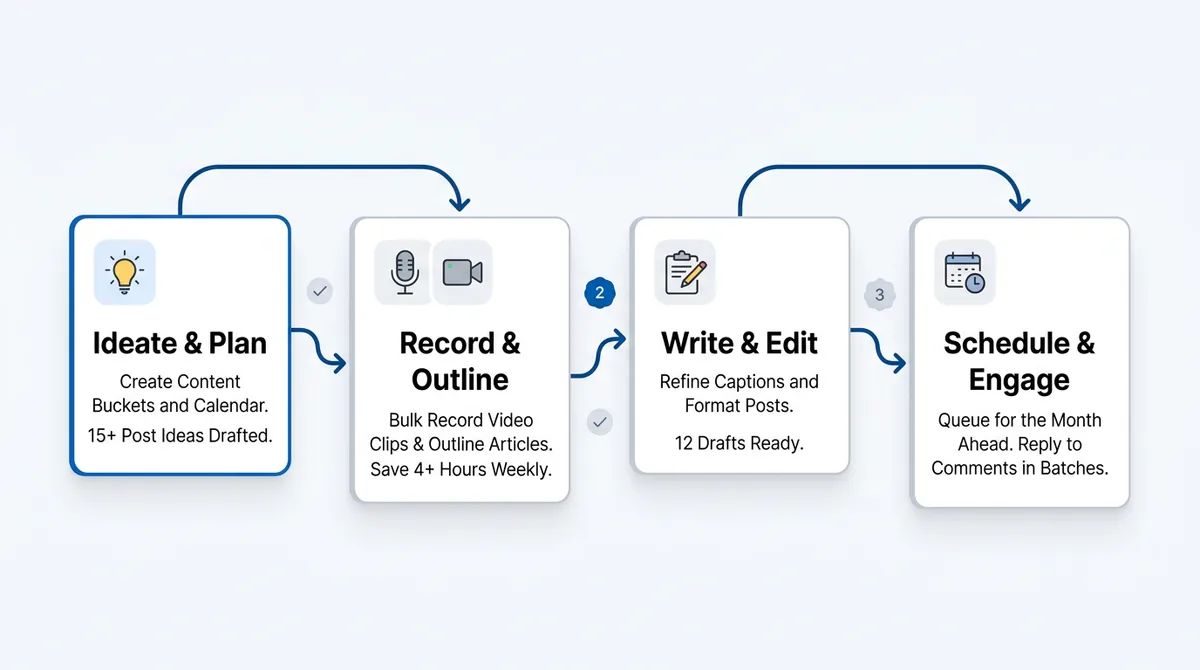
What actually works is removing the daily decision-making entirely. You need a linkedin batching content workflow. I am going to show you a practical, three-part system to organize your creation process, stop the daily scramble, and easily win back 10 or more hours a week to focus on actual business growth.
What is a LinkedIn Batching Content Workflow?
A linkedin batching content workflow is a structured process of grouping ideation, creation, and scheduling into dedicated time blocks. This prevents context-switching, ensures high-quality content consistency, and maximizes the LinkedIn algorithm’s preference for regular contributors by separating the act of thinking from the act of publishing.
The Context-Switching Trap: Why Creating Content Daily Is Killing Your Growth
Here is what nobody tells you about social media growth: your biggest enemy isn't the algorithm. It is decision fatigue.
When you sit down to write a single post from scratch every morning, you are forcing your brain to violently shift gears. You have to ask a high-level strategic question ("What does my audience care about today?"), shift into a creative mode to write the hook, pivot to an analytical mode to edit the copy, and finally drop into administrative mode to format text, attach images, and hit publish.
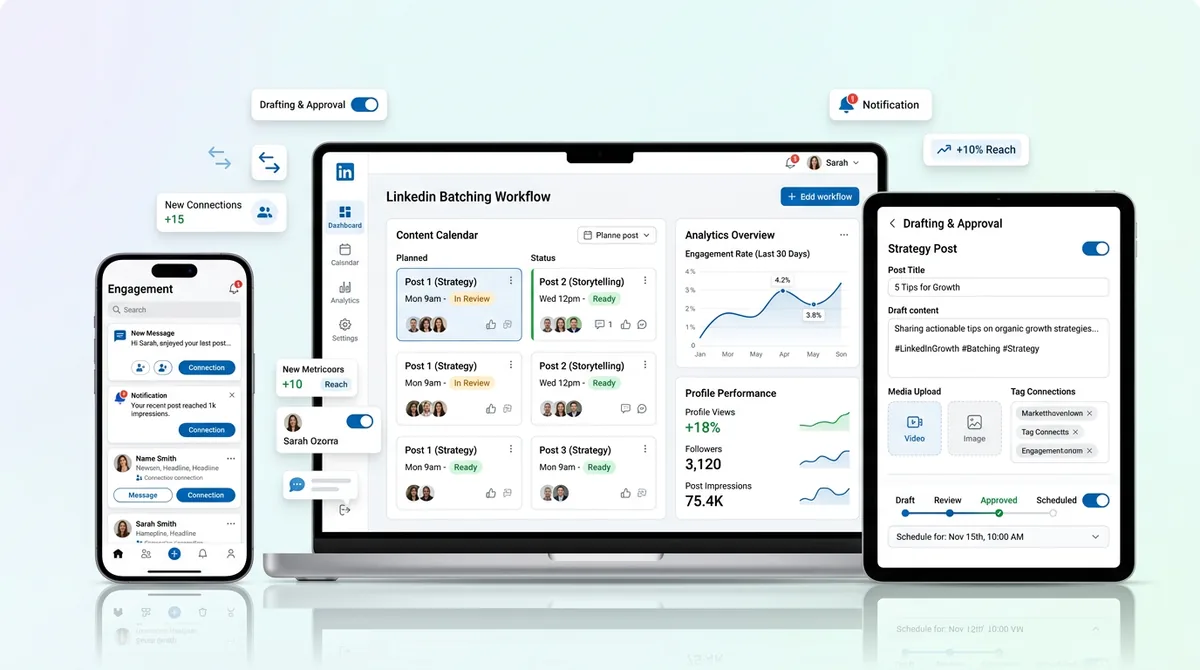
This erratic behavior resets your momentum. The LinkedIn algorithm is highly pattern-oriented. It learns user patterns and measures early engagement velocity. If your posting schedule is chaotic, the algorithm cannot predict when to allocate initial distribution to your core audience.
The Cognitive Cost of Manual Posting
Switching between high-level strategy and low-level execution creates what psychologists call "attention residue."
According to research by the American Psychological Association, shifting between different types of tasks can cost you up to 40% of your productive time. When you manually post daily, you carry the cognitive load of your strategic thinking right into your basic execution tasks. Your brain is still trying to solve a client problem while you are searching for the right hashtag.
This lowers your content quality across the board. The ideas feel rushed. The formatting gets sloppy. You forget to reply to comments because you are just relieved the post is finally live.
Phase 1: High-Volume Ideation and Content Pillar Mapping
The first part of a functional linkedin batching content workflow is completely separating thinking from doing.
You should never sit down to write without knowing exactly what you are going to write about. This requires building an Idea Bank. During your life—while walking the dog, talking to clients, or reading industry news—ideas will hit you. You need a frictionless place to dump them. I recommend using a central Content Library to store these raw sparks of inspiration so you don't lose them in a random notes app.
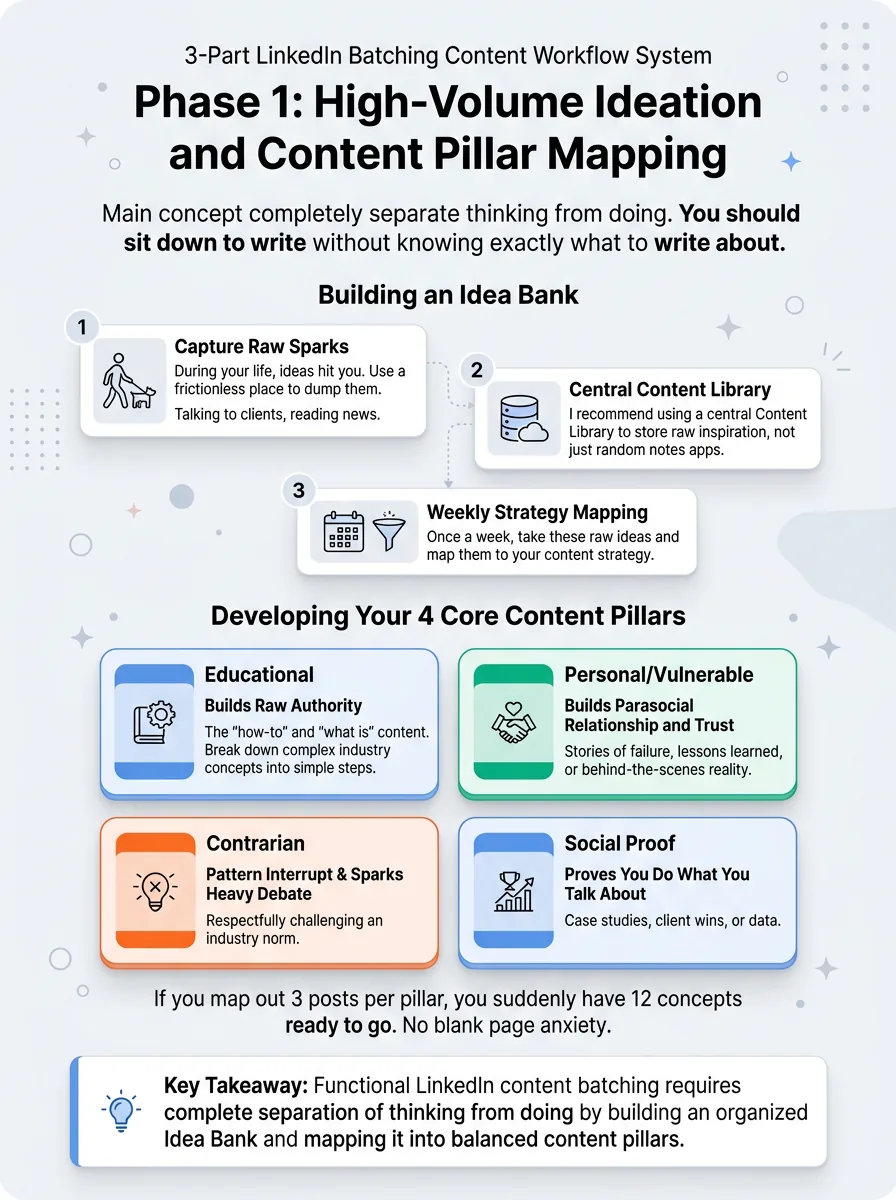
Once a week, you take these raw ideas and map them to your content strategy.
Developing Your 4 Core Content Pillars
A balanced feed keeps your audience engaged without burning them out on one specific format. Sort your raw ideas into these four buckets:
Educational: The "how-to" and "what is" content. This builds raw authority. Break down a complex industry concept into simple steps.
Personal/Vulnerable: Stories of failure, lessons learned, or behind-the-scenes reality. This builds the parasocial relationship and trust.
Contrarian: Respectfully challenging an industry norm. This acts as a pattern interrupt and sparks heavy debate in the comments.
Social Proof: Case studies, client wins, or data that proves you actually do what you talk about.
If you map out 3 posts per pillar, you suddenly have 12 concepts ready to go. No blank page anxiety.
Phase 2: The Deep-Work Drafting Session (Writing for the Feed)
The second part of the system is entirely about entering a flow state.
Now that you have your mapped ideas, you sit down for a focused drafting session. In practice, writing posts linearly (hook, body, conclusion, next hook, body, conclusion) is inefficient. Instead, use the Slippery Slide method.
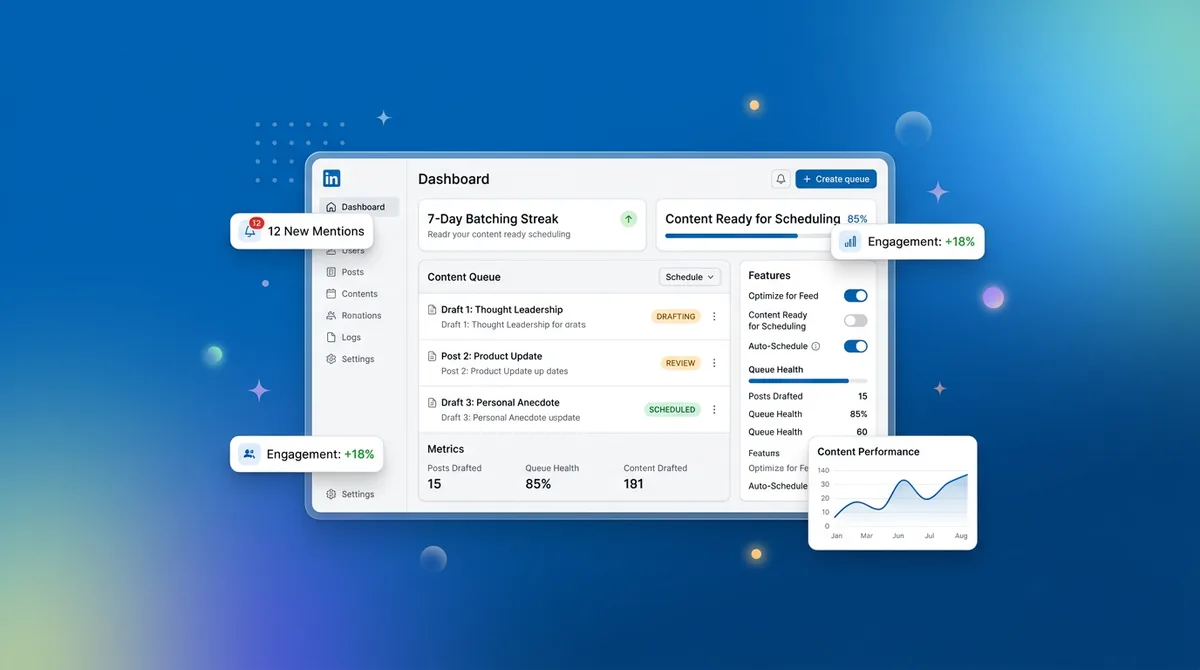
First, write all 12 hooks. A hook's only job is to force the reader to stop scrolling and click "See More". Spend 40% of your energy here. Next, write the bodies for all 12 posts. Finally, write the Calls to Action (CTAs) for all of them. Grouping similar cognitive tasks keeps your writing speed high.
Mastering the 'Mobile-First' Formatting
Writing for LinkedIn is not writing an essay.
Over 60% of users consume LinkedIn on their phones. If you write dense, chunky paragraphs, people will scroll right past them. You must format for the mobile eye.
Use aggressive white space. Keep sentences short. Break up thoughts so they read like a steady rhythm. The algorithm tracks "dwell time"—how long someone physically stops on your post. If your formatting looks intimidating, your dwell time drops to zero.
Phase 3: Visual Asset Assembly and Final Polish
The final phase of creation moves from text to visuals.
You've written a week or two of content. Now you need to attach the media. This is where you batch-create your carousels, dig up relevant selfies, or design graphics to match the written copy. Doing this all at once means you only open Canva or Figma one time. You only source stock photos one time.
Visuals matter because they claim more vertical real estate in the feed.
The Batch-Production Carousel Workflow
Carousels (PDF documents) are heavily favored by the algorithm right now because they force users to click through multiple slides, driving up that crucial dwell time metric.
Imagine you just spent an hour writing a brilliant, long-form educational post. You can copy that exact text, drop it into a LinkedIn Carousel Generator, and spin out a 10-slide document in under 15 minutes. By batching this process, you can easily create 3 or 4 high-performing carousels in a single afternoon using standardized templates.
Strategy 4: The 15-Minute 'Engagement Buffer' System
A true linkedin batching content workflow isn't just about scheduling posts. It is about scheduling community interaction.
The algorithm heavily weights early interactions. If you post and immediately close the app, your content dies. You need an inbound/outbound engagement strategy built into your daily routine. Schedule a 15-minute "Engagement Buffer" immediately after your scheduled post goes live.
Spend 5 minutes engaging outbound: leaving thoughtful comments on larger creators in your niche to draw eyes back to your profile. Spend the next 10 minutes engaging inbound: replying to every single comment on your new post. This behavioral loop trains the algorithm that your posts generate active conversations.
Strategy 5: Mining Historical Data for Smarter Batching
Your next batch of content should always be informed by the data of your previous batch.
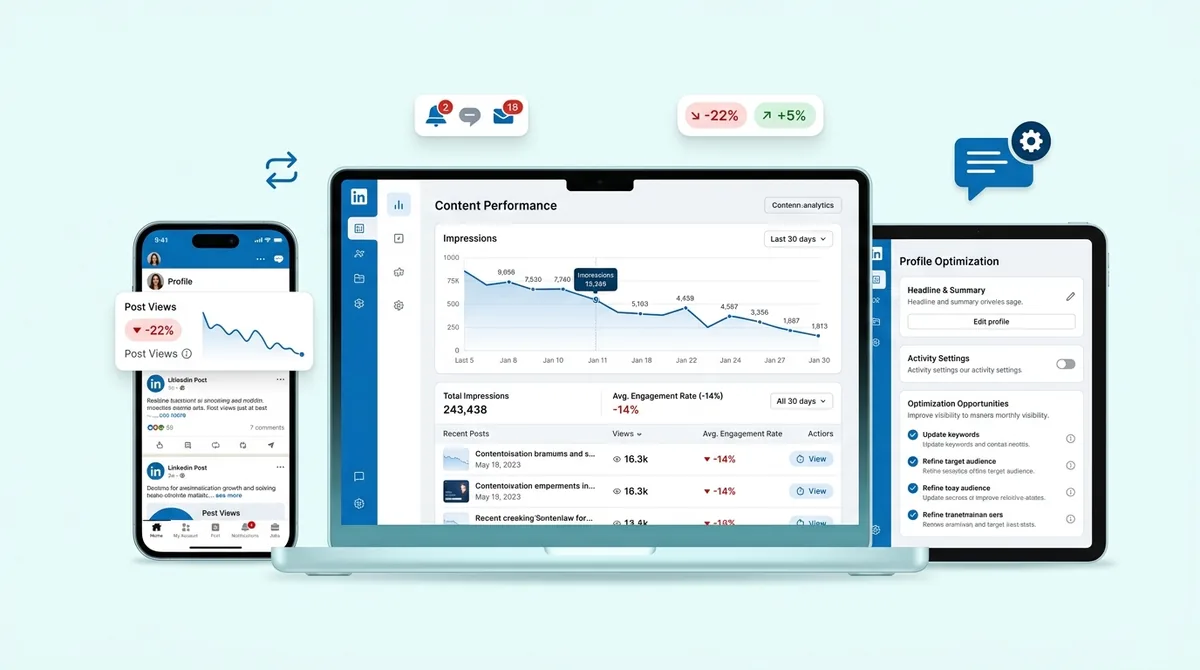
Most creators look purely at likes. That is a vanity metric. What you actually need to look at is the ratio of Impressions to Engagements, and the specific types of formats driving saves and shares. A recent breakdown of the LinkedIn algorithm shows that saves and shares are the strongest signals of high-value content.
Similar to running a TikTok content audit, you need to ruthlessly cut what isn't working on LinkedIn. If your contrarian text posts are getting massive reach but zero profile visits, while your educational carousels get lower reach but drive newsletter signups, you adjust your pillar mapping for the next batching session.
6 Mistakes That Ruin Your Batching Efficiency
Even with a system, it is easy to fall into production traps. Here is why most people still get bad results when trying to batch content.
The Wall of Text: Pasting a Word document directly into LinkedIn without adding line breaks or bullet points. It screams "I copied this from somewhere else" and kills readability.
Over-Scheduling: Trying to batch 30 days of content in one sitting when you are a beginner. You will burn out by day 12 and the quality of the last two weeks will be terrible. Stick to one or two weeks at a time.
Forgetting to Tag: Batching a post about a specific tool or person but failing to tag them in the final scheduled post, missing out on massive potential reach.
The Generic AI Voice: Letting a prompt write your entire post without injecting your own opinions, slang, or formatting quirks.
Mistake: Losing the 'Current' in Currency
Social media moves fast. If you batch your content 45 days in advance, you risk looking completely out of touch.
Imagine a major industry shift happens on a Tuesday, and on Wednesday your scheduled post goes live talking about how everything is perfectly normal. You lose all credibility. A good workflow leaves a 20% buffer for news-jacking and commenting on current trends. Batch the evergreen stuff, but keep space open for the immediate.
Mistake: Ignoring the 'Golden Hour' Engagement
We touched on this earlier, but it deserves its own warning. Batching the post but ignoring the first 60 minutes of comments leads to a massive drop in reach.
The algorithm measures early engagement velocity. The first hour determines whether your post gets shown to a wider network of 2nd and 3rd-degree connections. If you automate the post but don't show up to reply, you are effectively cutting your own distribution in half.
Real Examples: Transformation via Batching
Let's look at how this plays out in the real world.
Sarah is a B2B solopreneur. She used to post whenever she felt "inspired," which ended up being twice a month. Her growth was entirely stagnant. By implementing a dedicated Sunday afternoon ideation session and a Monday morning drafting block, she scaled up to 5 posts a week. Her impressions grew by 400% in two months because the algorithm finally recognized her as a consistent entity.
Marcus is an in-house marketing manager running a brand page. He used to write posts daily, spending roughly 15 hours a week just managing the feed. By switching to the 3-part batching system, he cut his production time to just 6 hours a week. He used those saved 9 hours to launch a targeted outbound messaging campaign that actually drove sales.
The Consistency Bridge: Why Systems Beat Willpower
Here is the reality check. The biggest hurdle to LinkedIn growth isn't writing the perfect hook. It isn't finding the ultimate content pillar.
It is the friction of daily execution.
Willpower is a finite resource. If your strategy relies on you feeling motivated every single morning to log in, write, format, and publish, you will eventually fail. You need a bridge between your batch creation and your daily output. If you are trying to figure out how often to post on your personal profile, scheduling removes the emotion from the equation.
This is where automation becomes your best friend. Using a dedicated LinkedIn Scheduler acts as this consistency bridge. You pour your creative energy into the batching session, load it into the calendar, and let the software handle the precise timing and formatting. You stop being a bottleneck to your own distribution.
Ready to save 15+ hours every week?
Join other creators who've automated their social media with SocialCal.
Get started freeThe 7-Day LinkedIn Batching Checklist
Ready to start? Follow this exact framework this week to build your linkedin batching content workflow.
Day 1 (30 mins): The Brain Dump. Review your swipe files and list 10-15 rough ideas.
Day 2 (15 mins): Pillar Mapping. Assign those ideas into your 4 content pillars and select the top 5 for next week.
Day 3 (60 mins): Slippery Slide Drafting. Write all 5 hooks, then all 5 bodies, then all 5 CTAs.
Day 4 (30 mins): Mobile Formatting. Add line breaks, bullet points, and clean up the text.
Day 5 (45 mins): Visual Assembly. Create any required carousels, charts, or select photos.
Day 6 (20 mins): The Consistency Bridge. Load everything into your scheduling tool and set the posting times.
Day 7 (Rest): Do absolutely nothing. Your week is handled.
LinkedIn Workflow FAQ
How often should I post on LinkedIn for maximum growth?
Data shows that posting 3 to 5 times a week is optimal for sustained growth. Posting multiple times a day can actually cannibalize your own reach, as the algorithm will prioritize only one of your posts in the feed.
Does using a scheduling tool hurt my reach?
Not at all. In practice, this rarely matters. LinkedIn's API officially supports third-party scheduling. The algorithm cares about user engagement (dwell time, comments, saves), not whether you pressed the native publish button or used an external tool.
What is the best time to post on LinkedIn?
Historically, Tuesday through Thursday mornings (8 AM to 10 AM local time) perform best for B2B audiences. However, your specific audience matters most. Check your analytics to see when your followers are actually online and engaging.
Should I put links in my post or in the comments?
Currently, LinkedIn slightly suppresses posts with outbound links in the main text because they want users to stay on the platform. The safest workflow is writing a clean post and using a first-comment automation tool to drop your link immediately after publishing.
Conclusion: Own Your Voice, Not Your Notification Feed
A thriving LinkedIn presence does not require you to sacrifice your sanity or live inside the app. Growth isn't about perfectly timed flashes of inspiration. It is about steady, unshakeable consistency.
By implementing a structured linkedin batching content workflow, you separate the heavy lifting of creation from the daily friction of publishing. Stop letting the algorithm dictate your schedule. Build your Idea Bank, master the Slippery Slide drafting method, and use SocialCal to handle the daily execution so you can get back to doing what actually moves the needle for your business.