The Frustration of a Silent Feed: Why Your LinkedIn Reach Vanished
Imagine spending 45 minutes crafting a thoughtful, well-formatted post. You share a real story, format the line breaks perfectly, and hit publish. You wait.
Jump to a section:
- The Frustration of a Silent Feed: Why Your LinkedIn Reach Vanished
- Quick Answer: Why Have My LinkedIn Impressions Dropped?
- The Feedback Loop Problem: Why Growth Stalls on LinkedIn
- Strategy 1: Optimizing Content for ‘Dwell Time’ and Relevance
- Strategy 2: Engineering Social Proof Through Outbound Engagement
- Why Most People Still Get Bad Results
- The Consistency Bridge: Why Perfect Posts Fail Without a Pattern
- The 5-Step LinkedIn Recovery Checklist
- LinkedIn Impression Recovery FAQ
- Conclusion: Reclaiming Your Presence
An hour later, you check your notifications. 14 impressions. One like from a former coworker.
Ready to save 15+ hours every week?
Join other creators who've automated their social media with SocialCal.
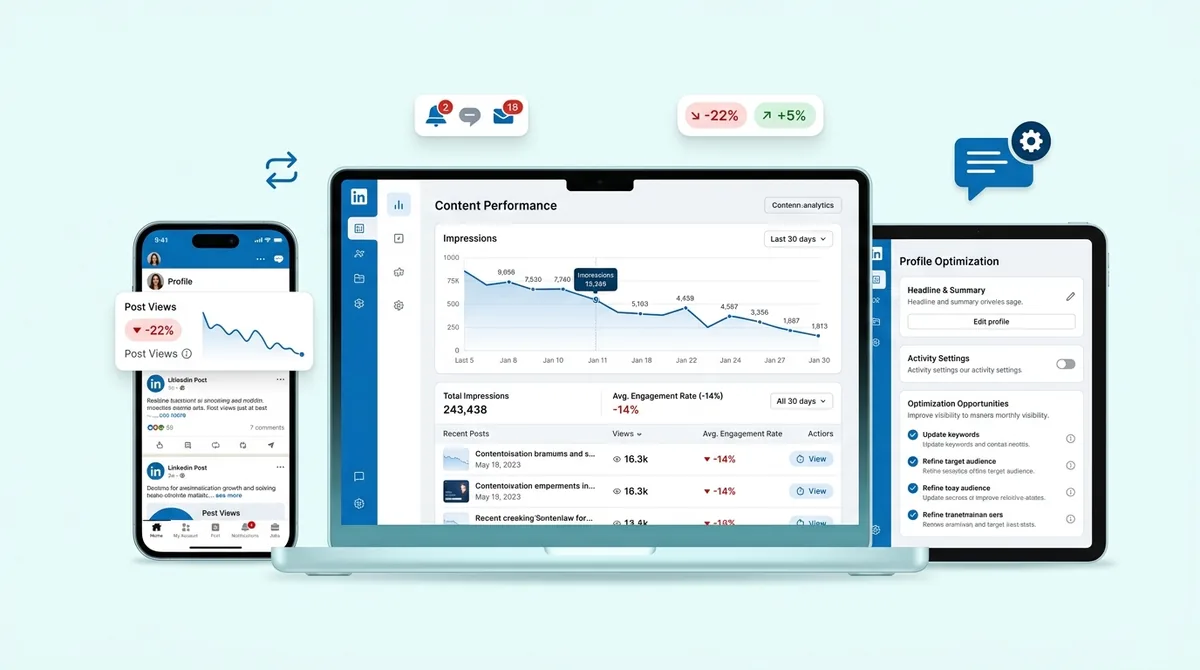
Get started freeLook, we've all been there. It is incredibly frustrating to watch a high-quality post flatline while generic bro-etry goes viral. If you are reading this because your linkedin impressions dropped off a cliff recently, you are not alone. You didn't suddenly forget how to write, and your audience didn't disappear. You just ran afoul of a behavioral shift in the platform.
LinkedIn is essentially a black box, but it is a predictable one. The algorithm operates on very specific user behavior signals. Let's look at exactly why your reach stalled and how to force the algorithm to start distributing your content again.
Quick Answer: Why Have My LinkedIn Impressions Dropped?
LinkedIn impressions typically drop due to algorithm updates prioritizing 'knowledge and advice,' low initial engagement signals in the first 60 minutes, or a lack of 'dwell time' on your posts. To recover, stop using external links, increase outbound engagement before posting, and maintain a consistent posting schedule to rebuild your algorithmic authority.
The Feedback Loop Problem: Why Growth Stalls on LinkedIn
To fix the drop, you have to understand the mechanism behind it. It is all about the Negative Feedback Loop.
When you publish, LinkedIn shows your post to a tiny fraction of your network. The algorithm's Quality Classifier then measures early engagement velocity. It tracks how long people pause on your post in the feed, whether they click 'See More', and if they leave a comment within the first 30 to 60 minutes.
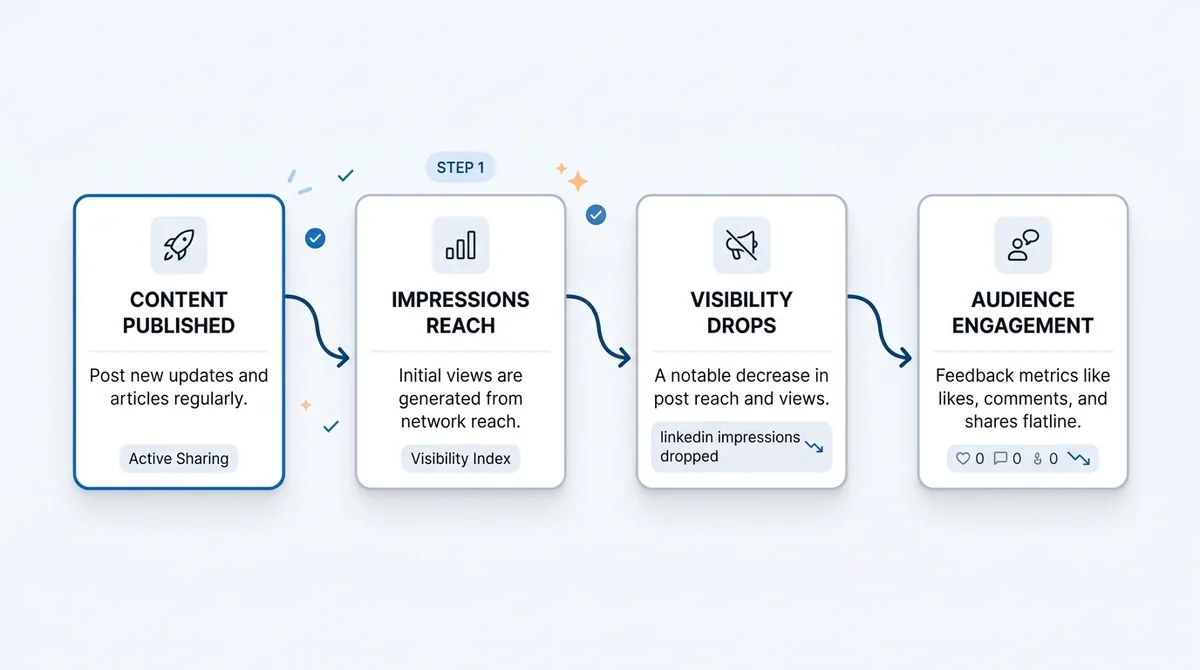
If your initial test group scrolls past without stopping, the algorithm flags your post as low-relevance. Distribution stops immediately.
But the real damage happens tomorrow. If you have a string of posts that perform poorly, the algorithm actually learns that your audience has a habit of ignoring you. Your baseline reach gets throttled. That is the feedback loop in action, and breaking out of it requires highly intentional behavioral signals.
Strategy 1: Optimizing Content for ‘Dwell Time’ and Relevance
The platform's primary goal is simple. Keep users on the platform. If you write content that causes 'pogo-sticking'—where someone clicks your link, leaves LinkedIn, and bounces right back—you get penalized.
You need to optimize for dwell time.
Mastering the 'Click-to-Expand' Hook
The single most important metric for text posts is the 'See More' click. It is an active behavioral signal that tells the algorithm your content is worth reading.
Most creators waste their first three lines clearing their throat. They write soft, generic introductions. What actually works is creating an information gap. Make a bold claim in line one, provide context in line two, and end line three right before the cutoff with a transitional phrase that demands expansion.
Prioritizing Native Documents and Carousels
If you want to force dwell time, PDF carousels are incredibly effective right now.
They work because they require multiple manual clicks to consume. Every time a user taps the 'next arrow', it sends a positive engagement signal. A user spending 45 seconds clicking through 10 slides generates a massive amount of algorithmic goodwill. You can quickly turn a text post into a visual asset using a free LinkedIn Carousel Generator, which exports the exact PDF format the platform favors.
Strategy 2: Engineering Social Proof Through Outbound Engagement
Reciprocal altruism is the unseen engine of LinkedIn. If you do not interact with the feed, the feed will not interact with you.
Many creators fall into the trap of broadcasting. They log in, post, and log out. The algorithm sees this pattern. It categorizes you as a passive node rather than an active community member, which directly impacts your organic distribution.
The '20-20-20' Engagement Protocol
You need a system. Try the 20-20-20 protocol.
Spend 20 minutes leaving thoughtful comments on your target audience's posts before you publish. Post your content, then spend 20 minutes replying to anyone who comments on your stuff. Finally, log back in for 20 minutes in the evening to engage with industry peers.
This concentrated activity trains the algorithm to see your profile as an engagement hub.
Transitioning from Broadcasting to Conversing
Stop leaving comments that say "Great post" or "Thanks for sharing."
The algorithm can detect low-effort engagement. Instead, add a counterpoint. Share a brief personal anecdote that relates to the original post. Tag one relevant person in your comment to pull them into the conversation. This creates nested comment threads, which are heavily rewarded by the system.
Why Most People Still Get Bad Results
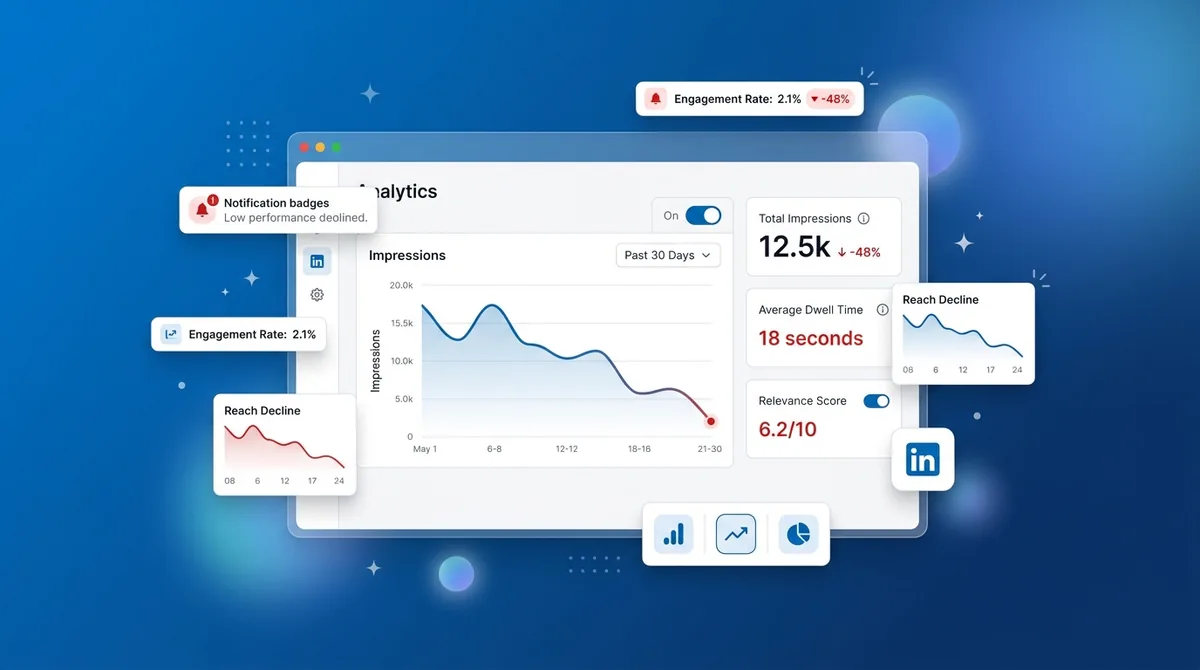
Even with good engagement, creators often shoot themselves in the foot with minor technical mistakes. If your linkedin impressions dropped, check if you are doing any of these:
Editing too quickly. Finding a typo and editing your post in the first 10 minutes can completely reset your early engagement velocity and kill your reach. Leave the typo.
Putting links in the main text. The algorithm suppresses outbound links. Put them in the comments, or use an automated tool to drop your link immediately after publishing.
Tag walls. Tagging 15 people at the bottom of your post looks like spam. If those 15 people do not engage, the algorithm heavily penalizes the post.
Inconsistent rhythms. Posting five times one week and zero times the next confuses the classifier. It cannot learn your audience's habits.
The Consistency Bridge: Why Perfect Posts Fail Without a Pattern
Here is the hard truth. The algorithm does not care about your masterpiece if it does not know when to expect it.
Machine learning models require a predictable data stream to categorize your profile accurately. The real issue isn't usually the quality of your writing—it is that your posting cadence is too erratic for the algorithm to build an audience model for you.
Building an Algorithmic Habit with Smart Scheduling
You have to build an algorithmic habit. That means showing up at the same times, on the same days, so the system learns exactly when to deploy your content to your most active followers.
But doing this manually is a fast track to burnout. Life gets in the way. This is why professional creators use tools like the LinkedIn Scheduler inside SocialCal. It bridges the gap between human inconsistency and algorithmic requirements. You can batch your writing on a Sunday, queue it up, and ensure you hit those high-activity windows every single day without fail.
The 5-Step LinkedIn Recovery Checklist
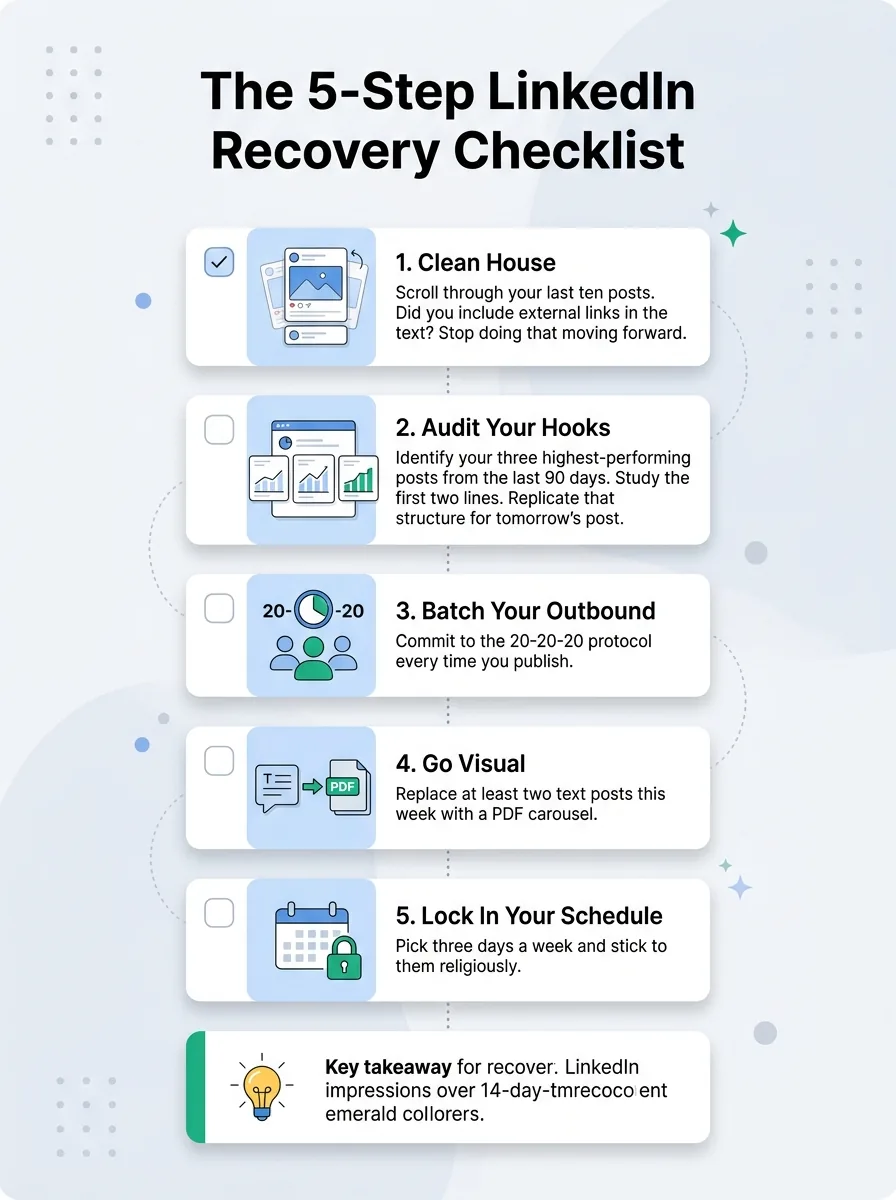
Ready to get your reach back? Follow this exact sequence for the next 14 days.
Clean house. Scroll through your last ten posts. Did you include external links in the text? Stop doing that moving forward.
Audit your hooks. Identify your three highest-performing posts from the last 90 days. Study the first two lines. Replicate that structure for tomorrow's post.
Batch your outbound. Commit to the 20-20-20 protocol every time you publish.
Go visual. Replace at least two text posts this week with a PDF carousel.
Lock in your schedule. Pick three days a week and stick to them religiously.
LinkedIn Impression Recovery FAQ
Does editing a post kill its reach?
Yes, editing a post within the first 60 minutes often triggers a re-evaluation by the platform's content classifier, effectively stalling your initial momentum.
How many times a week should I post to recover impressions?
Aim for 3 to 5 high-quality posts per week. Volume matters less than consistency. Pick a schedule you can maintain for a month straight.
Do hashtags still work in 2024?
They have much less impact than they used to. Stick to 3 broadly relevant hashtags at the bottom of your post simply to help categorize your content, but don't expect them to drive massive organic discovery.
Does sharing other people's posts hurt my reach?
A native "Repost" generally gets terrible reach compared to original content. If you want to share someone else's idea, write an original post about it and tag them, or use the "Repost with thoughts" feature and write a substantial mini-essay to accompany it.
Conclusion: Reclaiming Your Presence
Impressions are a lagging indicator. They only reflect the consistency and engagement habits you built over the past month. Recovering from a severe drop takes patience, usually two to three weeks of disciplined, algorithmic-friendly activity.
Ready to save 15+ hours every week?
Join other creators who've automated their social media with SocialCal.
Get started freeFocus on keeping people reading, genuinely interacting with your peers, and never ghosting your audience. When you use smart tools to automate your publishing schedule, you remove the friction, letting you focus entirely on the conversations that actually drive your business forward.