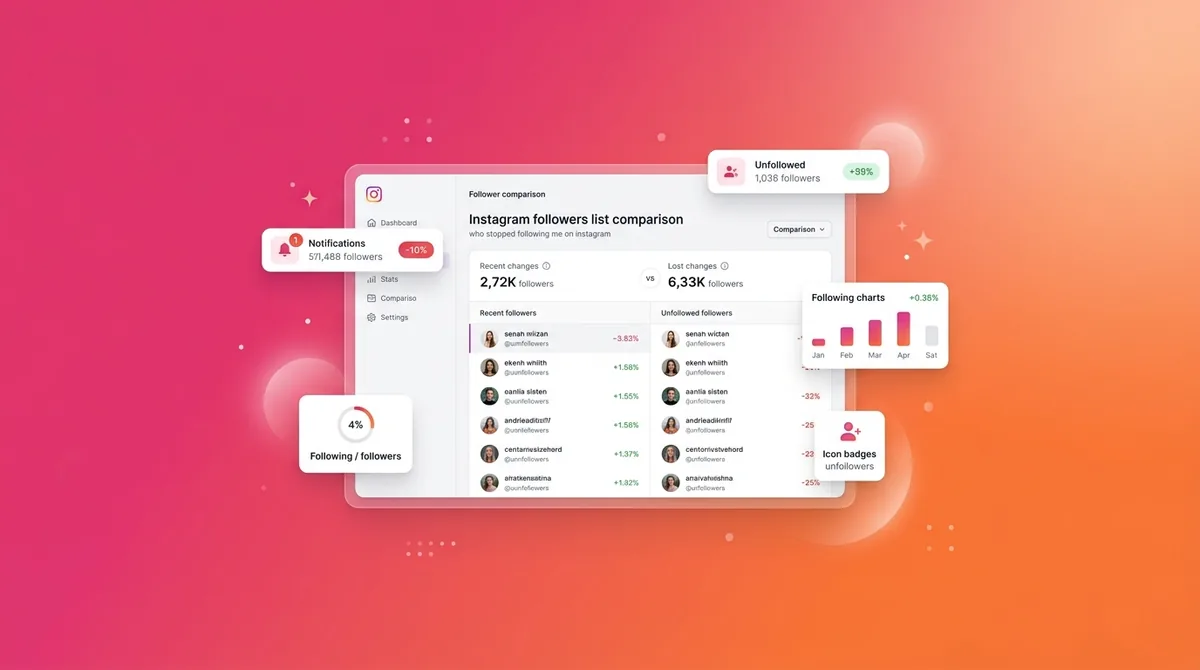
Instagram has never had a built-in unfollower notification — and they’re not adding one. So if you’ve been Googling “who stopped following me on Instagram” and hoping there’s a secret button, there isn’t. The third-party apps that promise to tell you charge $5–30/month, often steal your credentials, and frequently get banned by Instagram (taking your account with them). Here’s what actually works in 2026.
Jump to a section:
- How can I see who unfollowed me on Instagram?
- Why seeing who stopped following me on Instagram is so confusing
- Why Instagram doesn't tell you who unfollowed (and why most "unfollower" apps are scams)
- How can I see who stopped following me on Instagram safely?
- Method 1: The manual comparison method (safest)
- Method 2: Reputable third-party tools (some risk)
- Method 3: Targeted check (for one specific person)
- Mistakes that get accounts banned (or your sanity wrecked)
- What to do once you know who unfollowed you
- From follower tracking to follower retention
- Quick framework: Monthly follower review
- Frequently asked questions
- The principle: unfollows are signal, not score
How can I see who unfollowed me on Instagram?
To see who unfollowed you on Instagram, manually compare your current followers list against a saved snapshot from days or weeks ago. Instagram shows your full followers list under Settings → Account → Followers. There’s no native notification feature; safe tools work by scraping public follower lists only, never asking for your password.
Why seeing who stopped following me on Instagram is so confusing
You post a Reel. It does “okay.” Then you check your profile and see your follower count went down, not up.
Now you’re staring at the number thinking: who stopped following me on Instagram and why? Was it that rant on Stories? The niche shift? Posting too much? Not posting enough?
Here’s why this messes with creators so much:
- The number is public — followers are a social scoreboard, so every unfollow feels like a downvote in front of everyone.
- Instagram hides the “why” — you see the result (fewer followers), not the behavior (who left, when, after which post).
- Our brains hate uncertainty — so you start filling in the gaps: “They hate my content,” “I’m annoying,” “The algorithm is punishing me.”
That uncertainty pushes a lot of people into shady apps, because your brain wants closure more than it wants safety.
But Instagram’s systems aren’t built to comfort creators. They’re built to keep the average user from freaking out or rage-DMing their ex every time someone taps “Unfollow.”
Why Instagram doesn't tell you who unfollowed (and why most "unfollower" apps are scams)
Most creators assume Instagram just “forgot” to build unfollower notifications. No. This is intentional product design — and they’ve said as much in their safety updates.
1. Less social anxiety and drama
Imagine if you got a push notification: “@yourbestfriend just unfollowed you.”
Group chats would go nuclear. People would spam “why did you unfollow me??” DMs. Every unfollow would become a mini breakup.
Instagram’s whole vibe is “scroll and chill,” not “real-time social score anxiety.” Their product team knows that surfacing every micro-action (unfollows, profile visits, screenshots) creates stress and keeps people off the app. So they hide it on purpose.
2. Preventing harassment spirals
Here’s the darker side.
If Instagram showed you everyone who stopped following you on Instagram, a subset of people would take it personally and retaliate — especially in messy relationships, fandom drama, or local communities.
Unfollow → angry DM → dogpiling → report abuse. The platform has to throttle that. Removing explicit “X unfollowed you” signals reduces the spark that starts those fires.
3. Protecting the “right to unfollow quietly”
Unfollowing is a safety valve. People need to be able to clean their feed without worrying that the creator will confront them.
Product-wise, Instagram treats unfollowing almost like muting: a private tuning of your feed. That’s why they don’t expose clean, accessible “who unfollowed” data via official APIs either. It would break the expectation that you can curate your feed without blowback.
So no, this isn’t a bug. It’s the whole point.
Which is why you have to be very careful with any tool that claims to tell you exactly who unfollowed — most of them are working around Instagram’s design, and you pay the risk bill.
Ready to save 15+ hours every week?
Join other creators who've automated their social media with SocialCal.
Get started freeHow can I see who stopped following me on Instagram safely?
You’ve basically got three paths:
- Method 1: Manual comparison using official Instagram data (safest).
- Method 2: Third-party tools that watch your public follower list (some risk, but manageable if you’re picky).
- Method 3: Quick targeted checks for one specific person (no tools, just the app).
Let’s walk through each like we’re sitting next to each other with your phone open.
Method 1: The manual comparison method (safest)
This is the only method 100% inside Instagram’s rules. No passwords shared. No bots. No shady logins from mystery servers.
It’s not “sexy,” but it works — especially if you care more about patterns than obsessing over every single unfollow.
Step 1 — Export your current followers list
On the Instagram app:
- Go to your profile.
- Tap the three lines (top right) → Settings and privacy.
- Scroll to Your information and permissions → Download your information.
- Choose Some of your information → select Followers and following.
- Choose format: JSON if you’re comfortable with data, HTML if you just want something readable.
- Request download and wait 5–10 minutes for the email.
You’ll get a downloadable file with your full follower list at that moment. That’s your “snapshot.”
I like to save mine in a folder named something like Instagram-followers-2026-01-01 on my laptop. Boring, but it makes your future self very happy.
Step 2 — Save snapshots on a regular cadence
This is where most creators fall off. They’ll do it once, then forget.
Monthly is usually enough unless you’re growing really fast or running paid campaigns. Set a calendar reminder for the first of each month: “Export IG followers.” Do the same quick export again. The files are timestamped anyway, but rename them clearly so you don’t mix them up.
Over three to six months, these snapshots become a simple growth diary: who arrived, who left, and how your niche shifts affect your audience.
Step 3 — Diff the two snapshots
Now the fun (nerdy) part: seeing who disappeared.
Here’s the simple version anyone can do:
- Open both export files (last month and this month). If they’re HTML, copy the list of usernames into a spreadsheet. If they’re JSON, you might copy/paste from a text editor.
- In Google Sheets or Excel, put last month’s followers in Column A and this month’s followers in Column B.
- In Column C, use a formula like:
=IF(ISNA(MATCH(A2,$B$2:$B$5000,0)),"Unfollowed","Still here") - Filter Column C to show “Unfollowed.”
Everyone flagged “Unfollowed” is someone who was there in the earlier snapshot and isn’t in the latest one.
No app access. No logins. Nobody touching your account but you.
If you’re doing client work or managing multiple brands, this is the method that won’t get your agency account mysteriously disabled.
Method 2: Reputable third-party tools (some risk)
Let’s be real. A lot of you are not going to maintain spreadsheets. You want a “just show me who unfollowed” button.
That’s where third-party tools sneak in. Some are relatively safe. Most are not.
The golden rule: the more access they demand, the more risk you’re taking on. Specifically, any tool that wants your password is a giant red flag.
Tools that DON'T ask for your password (lower risk)
There’s a class of tools (often small web apps or open-source scripts on GitHub) that only read your public follower list. They behave like a user visiting your profile without logging in.
What they can usually do:
- Pull your public follower list periodically and store it.
- Compare snapshots to see who appears/disappears.
- Show basic trends (net follows/unfollows).
What they can’t do:
- See who you follow (that data requires a logged-in session).
- Interact with your account (no auto-DMs, no unfollowing people).
- Access private account data.
Safer signs to look for:
- They never ask you to type your Instagram password.
- They’re open-source (code on GitHub that you can inspect, or at least other devs can).
- They clearly explain “we only track public data.”
These still sit in a gray area — Instagram can change its public endpoints anytime — but they’re way less likely to trip security alarms because they’re not logging into your account from random servers.
If you’re extremely paranoid, stick with the manual method. If you’re moderately cautious, these tools are the compromise.
Tools that DO ask for your password (HIGH risk)
This is the category most “unfollowers” apps in the App Store fall into: FollowMeter, “Unfollowers for IG,” all the clones with neon logos and screenshots promising detailed analytics.
Here’s what they actually do under the hood:
- You give them your username and password.
- They log into your account from their servers (often a VPS or datacenter IP).
- They scrape your followers, following, likes, etc., by pretending to be you.
That’s a direct violation of Instagram’s Platform Policy.
Instagram’s anti-spam system sees this as “suspicious login.” Too many of those and you’ll get:
- “We detected suspicious activity on your account” pop-ups.
- Forced password resets.
- Temporary locks.
- Worst case: permanent disablement if they detect automation or mass actions.
The painful part? A lot of these apps do show real data. They correctly tell you who unfollowed, who you follow that doesn’t follow back, etc.
But you’re trading short-term curiosity for long-term account risk. If your Instagram is your business, that’s just not a smart trade.
Method 3: Targeted check (for one specific person)
Sometimes you’re not trying to monitor thousands of people. You just want to know if that person quietly dipped.
In that case, you don’t need exports. You don’t need tools. Just this:
- Visit their profile.
- Tap where it shows their “Following” count.
- Use the search bar at the top to type your username.
If you show up, they’re still following you. If you don’t, they’re not.
On your side, you can also tap your Followers list and search their username. Same idea.
This takes 10 seconds, works on both personal and creator accounts, and carries exactly zero risk. Use this when you’re suspicious about a brand, a friend, an ex, or a collaborator and just need clarity.
Mistakes that get accounts banned (or your sanity wrecked)
Tracking who stopped following me on Instagram is fine. But most people do it in ways that either anger the algorithm or slowly fry their brain.
1. Granting password access to third-party apps
This is the big one.
Instagram tracks where your account is logging in from. Log in from your phone in New York, then a “bot” logs in from a random datacenter in Frankfurt five minutes later? That’s suspicious.
Do that over and over via unfollower apps and you trigger more security checks. Even if you pass the first ones, you’re on thin ice. Especially if the app starts doing things like mass-unfollowing or auto-liking.
2. Using "unfollower" apps that mass-action your account
A lot of apps package tracking with automation:
- “Auto-unfollow people who unfollowed you.”
- “Remove ghost followers in one tap.”
- “Mass follow accounts like X and Y.”
To Instagram, that looks like a bot.
The algorithm tracks activity patterns: too many follows/unfollows/likes in a short window → flags for spam → reach drops or account gets blocked from actions. Do that repeatedly and you’re flirting with a ban.
Manual actions from your own device, spaced out, are almost never the problem. “One-tap clean-ups” absolutely are.
3. Obsessively checking unfollow data
Let’s talk about the mental side, because I’ve watched creators spiral over this.
If you set up systems to ping you on every single unfollow, you’re basically training your brain to obsess over rejection. Micro-rejection. Every day.
Small accounts especially will always have churn. Someone finds you from a Reel, follows during a specific phase of life, then three months later they’re into something else and clean up their feed. That’s not personal. That’s just how feeds work.
The energy you spend obsessing over who left could be spent making content for the people who stayed.
4. Not screenshotting BEFORE the export
This one hurts if you do client work or manage relationships through DMs.
If you suspect a specific person might unfollow (brand partner, client, collaborator), and the relationship history matters, take screenshots or export the context before they vanish:
- Screenshot key DM threads.
- Save Story mentions.
- Archive important comments.
People don’t always just unfollow. They sometimes remove tags, delete comments, or unsend DMs. Once that happens, you’ve got no record unless you saved it yourself.
What to do once you know who unfollowed you
Okay. You’ve run the export. You’ve checked the list. Some names sting a little.
Now what?
Here’s what most creators think they should do:
- DM people asking “hey, why’d you unfollow?”
- Mass-unfollow anyone who unfollowed (out of pride).
- Change their whole content style overnight because of a few departures.
All of that screams “needy” or “reactive,” and it doesn’t fix the real issue anyway.
Don’t reach out to ask why
99% of unfollows are not about you as a human. They’re about content fit.
Maybe they followed for Reels and you switched to static posts. Maybe they followed for tutorials and you went full lifestyle. Maybe they just started a new job and are decluttering their feed.
DMing them to ask why forces them into an awkward social situation and makes your brand feel emotionally unstable. Don’t do it.
Don’t mass-follow back or play “follow/unfollow” games
Nothing tanks your brand positioning faster than looking like a spammy follow/unfollow account.
If you want to follow someone, follow them because you genuinely want their content in your feed or there’s a real relationship there — not because you’re trying to keep a ratio balanced.
Do look for patterns, not individual betrayals
This is where unfollow data is actually useful.
Ask questions like:
- Did unfollows spike after a niche shift? (e.g., you went from photography tips to crypto opinions)
- Did you start posting way more or way less?
- Did you start chasing trends that your core audience doesn’t care about?
Imagine this scenario:
You’ve been posting 3 Reels a week around “fitness for office workers.” Growth is steady. Then you get super into bodybuilding content and start posting mostly heavy lifting clips and supplement hauls.
Over the next month, you notice 8% of your followers quietly disappear when you compare snapshots. That’s not “Instagram hates me.” That’s “my content changed and the original audience opted out.”
That’s actually good data. It tells you to either commit to the new niche fully (and accept the reset) or bring your content back to the promise that originally attracted people.
From follower tracking to follower retention
Tracking who stopped following me on Instagram is diagnostic. It tells you what’s happening. But it doesn’t fix why it’s happening.
The real retention levers are pretty boring:
- Consistency — showing up on a predictable rhythm.
- Content-market fit — talking to the right people about the right thing.
- Quality repetitions — learning from posts instead of overthinking them.
Here’s what nobody tells you: Instagram’s algorithm quietly punishes irregular posting. Not with some hidden “shadowban,” but by killing your recognition loop with your followers.
If you post three times in one week, then disappear for a month, your next post won’t get strong early engagement. Your followers forgot you. They scroll past. The algorithm sees low early engagement and stops pushing it.
That’s when people clean up their follows and think, “Wait, who even is this?” → unfollow.
The issue usually isn’t “my content is terrible.” It’s “my posting pattern is chaotic.”
Scheduling is the boring, adult solution. You batch content when you have energy, then spread it out on a consistent cadence so the algorithm and your audience can rely on you. A tool like the Instagram Scheduler from SocialCal makes this stupidly simple: drag posts onto a calendar, auto-post them, and stop relying on your future tired self to remember.
Then use any unfollow data you collect as a
Quick framework: Monthly follower review
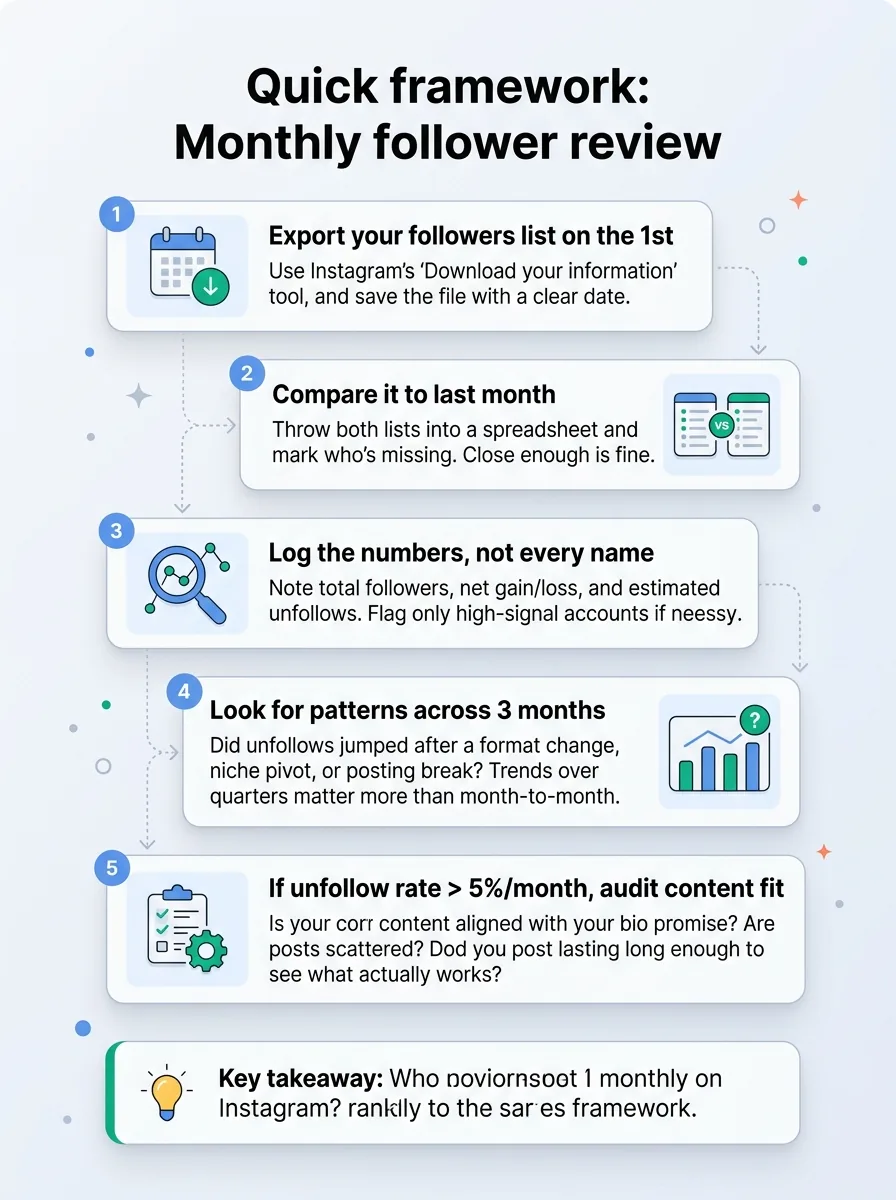
If you want something structured you can literally screenshot and follow, use this once-a-month audit.
- Export your followers list on the 1st
Use Instagram’s “Download your information” tool and save the file with a clear date. - Compare it to last month
Throw both lists into a spreadsheet and mark who’s missing. You don’t need it pixel-perfect — close enough is fine. - Log the numbers, not every name
Note: total followers, net gain/loss, and estimated unfollows. If you really need to, flag only high-signal accounts (brands, close collaborators). - Look for patterns across 3 months
Did unfollows jump after a format change, niche pivot, or posting break? Don’t judge month by month — trends over quarters matter more. - If unfollow rate > 5%/month, audit content fit
Ask: Is my content still aligned with my bio promise? Are my posts scattered? Am I posting long enough to see what actually works?
If you want help keeping your aesthetic and posting rhythm on track, a simple habit is to preview how your feed will look ahead of time using a grid planner like SocialCal’s Social Media Grid Planner. It sounds superficial, but a consistent grid often reduces unfollows from people who care about vibe as much as value.
Ready to save 15+ hours every week?
Join other creators who've automated their social media with SocialCal.
Get started freeFrequently asked questions
Does Instagram notify someone when I unfollow them?
No. Instagram does not send any notification when you unfollow someone. Their follower count will decrease, but they won’t get a push notification or in-app alert. The only way they’ll usually notice is if they’re manually tracking followers or using their own exports.
Is there an app that shows who unfollowed me on Instagram?
There are apps that claim to show exactly who stopped following me on Instagram, but most of them require your password and violate Instagram’s rules. Safer options only track public follower data and don’t log into your account, but even then Instagram can change access anytime. The only reliable long-term method is exporting followers and comparing snapshots yourself.
Why do I have ghost followers?
Ghost followers are accounts that follow you but never interact — often bots, inactive accounts, or people who followed for a giveaway or shoutout and never cared about your content. They don’t automatically hurt you, but they dilute engagement rate percentages. Instead of obsessing over removing them with risky apps, focus on posts that attract real, active followers and watch your engaged audience metric, not just raw count. If you need to repurpose high-performing content to reach better followers, tools like the free Instagram Downloader can help you pull your own Reels and clips in HD for editing.
Can I see who blocked me on Instagram?
There’s no official “block list viewer” for other people’s actions. But there are clues: if you search their username and can’t find their profile, or you see their account from another profile but not yours, you’re probably blocked. Third-party “who blocked me” apps are almost always scams or password grabs — avoid them.
How often should I check unfollows?
For sanity and strategy, once a month is plenty. Daily checks just feed anxiety and encourage knee-jerk content changes. Monthly reviews let you spot patterns, tie them to content decisions, and adjust calmly. The rest of the time, focus on consistent posting and improving what you ship.
The principle: unfollows are signal, not score
Every account loses followers. Big, small, viral, niche — everyone. The question isn’t “how do I stop all unfollows?” It’s “are the people who stay getting more value and engaging more over time?”
Use unfollow data as a soft signal to refine your content, not as a verdict on your worth. Pair that with a consistent posting rhythm — ideally planned in something like SocialCal’s Content Calendar — and you’ll spend way less time panicking over who left and way more time serving the audience that’s still very much here.