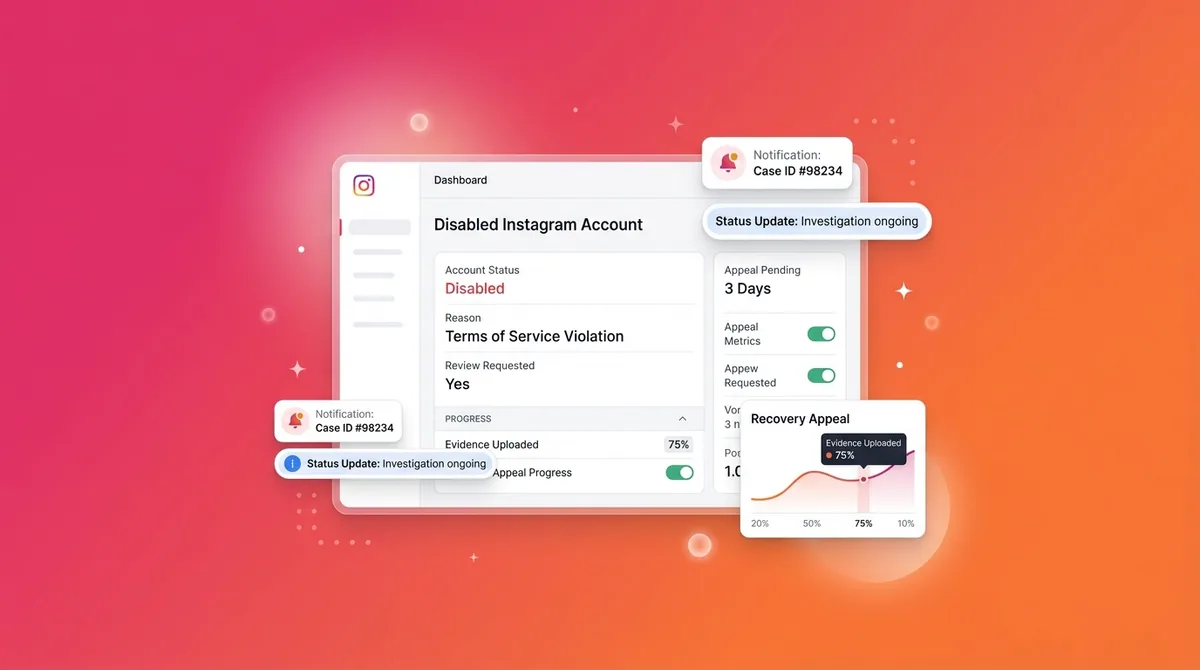
If your Instagram account is disabled, you have ~30 days to appeal before the deletion is permanent. The next 60 minutes matter more than any other window. Here's exactly what to do — in order.
Jump to a section:
- You opened Instagram and saw "Your account has been disabled" — start here
- What does "your Instagram account has been disabled" actually mean?
- The 5 reasons Instagram disables accounts (and which is yours)
- Step-by-step: How to appeal a disabled Instagram account in 2026
- After you submit — what happens and how long it takes
- Sample appeal templates (copy these)
- Mistakes that wreck your appeal
- After recovery — how to never go through this again
- Consistency Bridge: why your recovery plan has to be sustainable
- Quick framework: 30-day post-appeal recovery checklist
- Frequently asked questions
- The principle: every account is one report away from disablement
You opened Instagram and saw "Your account has been disabled" — start here
That "Your account has been disabled" screen hits like a punch in the stomach. One second you're checking your DMs, the next your entire audience, your content, maybe even your income stream is locked behind a single message: You've been disabled.
Here's the hard truth most people don't realize: a disabled Instagram account is on a timer. You usually have around 30 days to appeal. After that, Instagram starts permanent deletion. And once it’s gone, your Reels, DMs, drafts, everything — gone for good.
This is why the next hour matters so much. Not because you can magically fix it fast, but because you can set up a clean, strong appeal that actually gets reviewed instead of auto-rejected.
So breathe. Don’t spam buttons. Don’t create a new account out of panic. I’ll walk you through what this means, why it happened, and the exact 2026 appeal flow Instagram is using — step by step.
What does "your Instagram account has been disabled" actually mean?
A disabled Instagram account means Instagram has restricted your access for a suspected violation of their Community Guidelines or Terms of Use. Disablement is usually reversible if you appeal within 30 days; after that, accounts are permanently deleted and content cannot be recovered.
The 5 reasons Instagram disables accounts (and which is yours)
Before you appeal, you need to understand why your account was disabled. The reason you choose shapes your appeal. Instagram doesn't tell you much beyond a generic message, so you're basically reverse-engineering what triggered their systems.
Under the hood, Instagram is watching patterns: content flags, reports, login locations, copyright claims. Think of it like a spam filter for accounts. When enough red flags stack up — or a serious one hits — the system flips your profile into disabled mode.
1. Community Guidelines violations
This is the most common path to a disabled Instagram account.
Things that trigger it:
Spam-like behavior: mass following/unfollowing, repetitive DMs, bot-like comments
Fake engagement: buying followers, engagement pods using automation tools
Reported content: hate speech, bullying, threats
Nudity or sexual content: especially if multiple people report it
Harassment claims: even if you think it was "just jokes" in the comments
Here’s what nobody tells you: you can get hit by a false positive. If a bunch of people report your post on the same day (jealous competitor, angry ex, whatever), Instagram’s systems often auto-escalate that account.
Appeal angle: you’re arguing that you did not violate the guidelines, or that your content was misinterpreted. You’ll want to reference the specific guideline category if you know it. Skim the official rules at https://help.instagram.com/477434105621119 so you’re speaking their language.
2. Suspicious login or hacking attempts
This one feels random, but it’s actually Instagram trying to protect you.
Scenarios that trigger this:
Logins from multiple countries within 24 hours
New device + sudden bulk following/liking behavior
Password reset requests from unfamiliar IPs
Third-party apps with sketchy permissions going wild on your account
Imagine a hacker gets your password, logs in from another country, and starts following 500 accounts plus DM’ing scam links. Instagram’s systems flag that pattern as “compromised” and slam the brakes. Sometimes that brake is a disability.
Appeal angle: you’re not saying “Instagram is wrong,” you’re saying “my account was hacked / compromised; please help me secure and restore it.” You’ll need to be ready to prove you’re the real owner.
3. Underage account flag (under 13)
If someone reports that you’re under 13, or your content/profile strongly suggests that, Instagram may disable your account until you prove your age.
This hits creators who:
Use a very young-looking profile picture
Have bio text like “12yo athlete” or old inside jokes
Run fan accounts for kids or school clubs
Appeal angle: “I meet the age requirement; here’s my ID showing my date of birth.” No drama. Just proof.
4. Fake name policy (rare but real)
This one annoys creators the most.
Instagram occasionally enforces a “real person, real name” vibe on accounts that look automated, impersonate someone else, or are reported as fake. That doesn’t mean you can’t have a brand name — but if your profile screams bot or catfish, you may get flagged.
Triggers here:
Using names of public figures you’re not officially tied to
Obvious impersonation complaints
No face, no personal info, but pretending to be a specific person
Appeal angle: clarify who you are, who the account represents, and that you’re not impersonating anyone. If you’re a business, business docs help.
5. Copyright / trademark complaints (DMCA)
This is a different beast from Community Guidelines.
Repeated copyright strikes — think 3+ valid DMCA takedowns in 90 days — can result in a disabled Instagram account. This usually happens to meme pages, fan accounts, or people posting music/video clips they don’t own.
Appeal angle: DMCA has its own legal process. If you think a copyright strike was wrong, you’re technically using a counter-notice, not just the basic appeal. This is slower and more serious. You’ll want to read Instagram’s IP policy page at https://help.instagram.com/535503073130320 before you hit send on anything.
Ready to save 15+ hours every week?
Join other creators who've automated their social media with SocialCal.
Get started freeStep-by-step: How to appeal a disabled Instagram account in 2026
Most articles you’ll Google are outdated. Instagram changed a lot of their appeal flow in 2024 and again in small ways since. The old “secret form” links don’t work the same anymore.
Here’s the current (2026) path that actually reaches a human.
Step 1 — Gather evidence before you submit
Do this before you rush into the form. An incomplete appeal looks sketchy and often gets auto-declined.
Collect:
Screenshots of the disabled-account message and any emails from Instagram
Your most recent login attempt screen (if it shows any extra details or error codes)
Government ID (passport, driver’s license, national ID) – Instagram now asks this in most serious appeals
Business documentation (if it’s a business account): business registration, invoices, or domain email
Why this matters: the reviewer is trying to decide fast whether you’re a real person and real owner. Clear ID + matching name + consistent story = less friction.
If your username is very close to another brand or creator, it’s also not a bad idea to confirm it’s available/unique in case you’re forced to adjust later — a quick check with an Instagram username checker can help you sanity-check name conflicts.
Step 2 — Submit through the in-app appeal form
This is the preferred route when you still have the disabled message on-screen.
Open Instagram on the app or web. You’ll see “Your account has been disabled”.
Tap or click “Learn more” or “Appeal”. Instagram keeps renaming this, but it sits under the main message.
Follow the prompts: you’ll land on a form asking for your full name, email, username, and reason.
Upload your photo ID if asked. Don’t skip this. We’ll talk more about why later.
Keep your written explanation under 200 words. Short, factual, specific. The reviewer is scanning hundreds of these per shift. If they have to dig through a wall of text, you lose.
Step 3 — Submit through help.instagram.com (alternative)
If you don’t see the in-app appeal option (this happens with some region/device combos):
Go to help.instagram.com in a browser.
Search for “My account was disabled”.
Click the result that mentions disabled accounts for violating Community Guidelines or Terms.
Use the embedded form on that page.
Important: this form hits the same backend queue as the in-app appeal. Submitting both doesn’t double your chances. It just clutters your case.
Pick one, submit once, then wait at least 5 business days before you even think about a follow-up.
Step 4 — What to write in the appeal
Most creators get this part wrong. They write like they’re talking to a friend, not a busy moderator reading hundreds of appeals per hour.
Here’s what to include:
Your full real name exactly as it appears on your ID
Your username (@handle)
The email tied to the account
Short explanation of what you think happened and why it’s incorrect
A compliance statement: that you understand and will follow the Community Guidelines going forward
And what to avoid:
Long emotional rants
Blaming language like “your stupid algorithm”
Threatening to sue Instagram, Meta, the reviewer, their dog, etc.
Copy-pasting legal paragraphs you found on Reddit
Remember: the reviewer is judged on accuracy and speed. A clear, calm appeal reads like an easy “yes” if you’re legit.
After you submit — what happens and how long it takes
Once your appeal is in, the worst thing you can do is panic-refresh and keep resubmitting.
Typical timelines:
Standard appeals: 24–48 hours
Photo ID review: up to 5 business days
Complex cases (DMCA, hacking, large accounts): 7–14 days
What actually happens:
Your appeal lands in a queue. Automated filters handle obvious spam.
Human reviewers check the ID, your history, and the violation logs.
They make a yes/no call, sometimes escalating edge cases.
Instagram emails you the result to the address you listed in the form.
Two things to watch:
Check your spam/junk folder. These emails end up there all the time.
If approved, your account usually reappears exactly as it was — followers, posts, DMs, drafts. There’s no “partial restore.”
If you hear nothing after 7 days, one calm follow-up appeal (referencing your first one) is fine. Just don’t start daily submissions.
Sample appeal templates (copy these)
Use these as a base, but don’t lie. Adjust to match your situation and style.
1. Community Guidelines false-positive template
Keep it factual and specific:
“My name is [FULL NAME], and I am the owner of the Instagram account @[USERNAME] associated with [EMAIL ADDRESS].
My account was recently disabled for violating Community Guidelines, but I believe this was a mistake. I create content about [TOPIC/NICHE], and I always aim to follow Instagram’s rules. The content that may have triggered this was [BRIEF DESCRIPTION], which I intended as [CONTEXT]. It does not promote hate, violence, or harassment.
I respectfully request a review of my account and will continue to follow Instagram’s Community Guidelines going forward.
Thank you for your time,
[FULL NAME]”
2. Hacked-account recovery template
Make it clear your account was compromised and you’re trying to secure it.
“My name is [FULL NAME], and I am the owner of the Instagram account @[USERNAME] linked to [EMAIL ADDRESS].
My account appears to have been compromised before it was disabled. I noticed [UNUSUAL ACTIVITY: e.g., logins from another country, messages I did not send, posts I did not create]. After this, my account was disabled for suspicious activity.
I did not authorize this behavior and I am requesting help to restore my account and secure it. I am happy to provide any verification needed to prove ownership and will enable two-factor authentication and follow all security best practices.
Thank you for your assistance,
[FULL NAME]”
3. Underage flag (incorrect) template
Here you’re just proving age and staying calm.
“My name is [FULL NAME], owner of the Instagram account @[USERNAME], connected to [EMAIL ADDRESS].
My account was disabled because it was flagged as underage. I am over 13 and meet Instagram’s age requirements. I have attached my government-issued ID showing my date of birth as [DATE OF BIRTH].
Please review this documentation and restore access to my account. I use Instagram to [BRIEF PURPOSE: e.g., share my art, run my small business] and I will continue to follow Instagram’s Community Guidelines.
Thank you for reviewing my appeal,
[FULL NAME]”
Mistakes that wreck your appeal
Most people with a disabled Instagram account don’t get denied because Instagram “hates them.” They get denied because they panic and do the exact wrong things.
Creating a new account before appealing
You get disabled. You freak out. You make a new account with the same name, same bio, same profile picture, and start DM’ing people “my old account got banned, follow this one.”
Instagram sees:
One disabled account under review
A new account with overlapping details and behavior
The system tags that as evasion. Suddenly, both accounts are on thin ice. On top of that, reviewers now think you’re trying to skirt the system instead of fixing the original issue.
Submitting multiple appeals (thinking it'll speed it up)
Every time you submit a fresh appeal, you’re essentially starting a new ticket. New ticket = new queue position. So the “spam the form every morning” strategy does the opposite of what you want.
What actually works: one strong, complete appeal. Wait 5 business days. If no response, one short follow-up referencing your first one.
Using emotional language or threats
I get it. Losing your account feels personal. Maybe your income depends on it.
But the person reviewing your case is on a tight clock and reading stuff like “I’ll sue you” or “you ruined my life” a hundred times a day. That doesn’t make them more sympathetic. It just makes your appeal look less rational.
Calm, factual appeals are easier to approve. Anger and threats push your message into the “problem user” mental bucket.
Skipping the photo ID step
This is an instant auto-reject in most serious disablement cases now.
If Instagram asks for ID and you try to get cute — blurry photos, cropped corners, random documents instead of government ID — the system flags your appeal as incomplete. In some scenarios, that can lock you out of further appeals.
Take a clear photo. All details visible. Name on the ID matching the name you’re putting in the form. If your creator name is different from your legal name, you can explain that in one short sentence.
After recovery — how to never go through this again
Let’s assume your appeal works and your disabled Instagram account comes back. Huge relief. But if you just go back to posting like nothing happened, you’re setting yourself up for a repeat.
What actually hurts creators long-term isn’t one disablement. It’s building their entire audience on a single platform with no backup.
Here’s the mechanism: the algorithm doesn’t care how “important” your account is to you. It only cares about behavior patterns and risk. If enough red flags appear again — even if they’re triggered by mass reporting or another hack — you’re one step away from losing everything twice.
So you need redundancy:
Security redundancy: 2FA via an authenticator app, not SMS (SIM swaps are real).
Content redundancy: a local backup or download of your content so you’re not starting from zero.
Audience redundancy: your people exist on at least one more platform, not just Instagram.
Cross-posting helps here. If you’re already posting Reels, you can easily prep them for TikTok or YouTube Shorts (a quick pass through a video resizer keeps them formatted correctly) so you’re not hostage to one app’s mood.
Consistency Bridge: why your recovery plan has to be sustainable
Recovery isn’t just about getting your account back. It’s about fixing the fragility in your whole creator setup.
Here’s the part most people ignore: algorithms reward consistent behavior, not perfect strategy. Consistent logins. Consistent posting. Consistent security. That consistency trains the system to see your account as “normal,” which actually helps keep you off the risk radar.
The real issue isn’t finding the perfect posting strategy after a disabled instagram account scare. It’s being able to show up safely and consistently without burning out or forgetting basic stuff like backups and 2FA.
This is why creators eventually lean on schedulers. You plan content when you’re calm, then let it post automatically while you handle life. A visual planner like the Instagram scheduler from SocialCal lets you set a steady cadence across Reels, carousels, and posts without living inside the app every day.
Consistency = fewer frantic “I haven’t posted in 3 weeks, now I’ll spam” bursts that look weird to the system and to your audience.
Quick framework: 30-day post-appeal recovery checklist
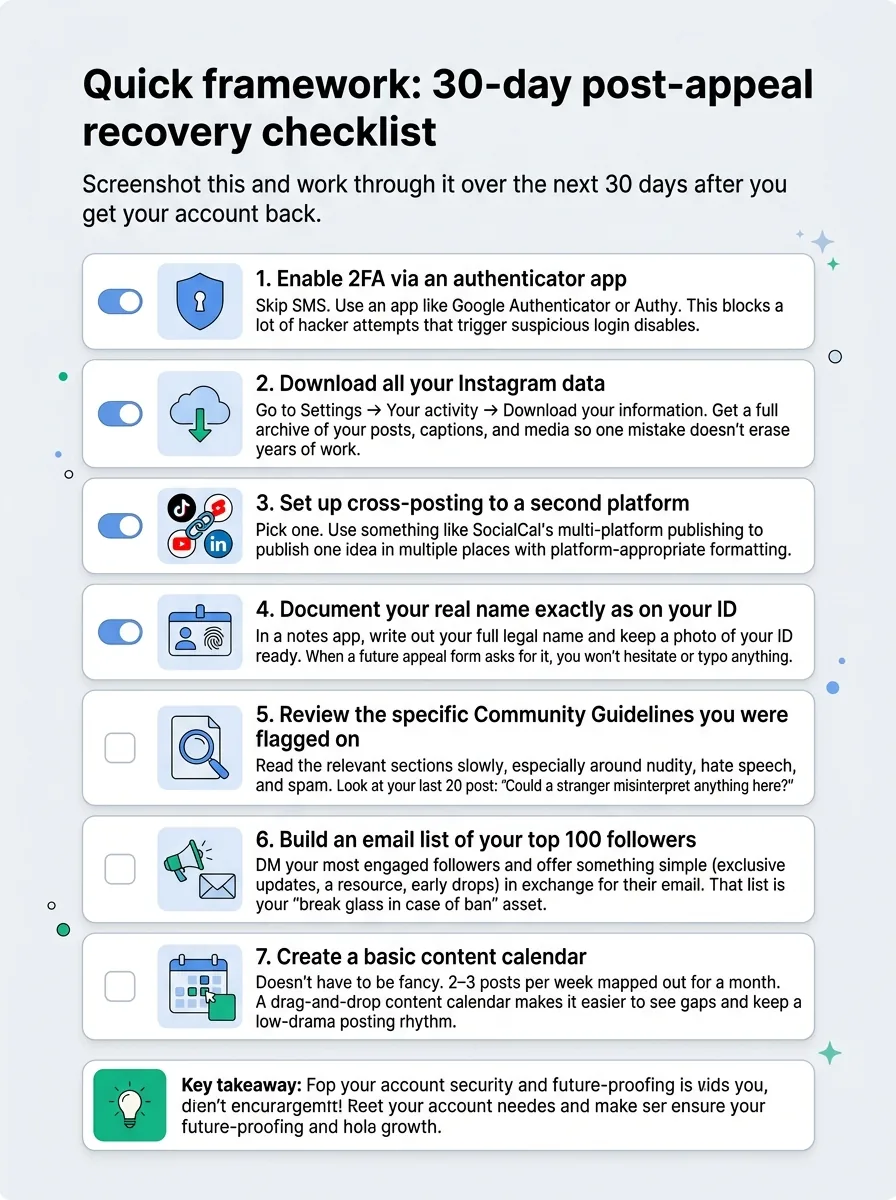
Screenshot this and work through it over the next 30 days after you get your account back.
Enable 2FA via an authenticator app
Skip SMS. Use an app like Google Authenticator or Authy. This blocks a lot of hacker attempts that trigger suspicious login disables.Download all your Instagram data
Go to Settings → Your activity → Download your information. Get a full archive of your posts, captions, and media so one mistake doesn’t erase years of work.Set up cross-posting to a second platform
Pick one: TikTok, YouTube Shorts, or LinkedIn if you’re B2B. Use something like SocialCal’s multi-platform publishing to publish one idea in multiple places with platform-appropriate formatting.Document your real name exactly as on your ID
In a notes app, write out your full legal name and keep a photo of your ID ready. When a future appeal form asks for it, you won’t hesitate or typo anything.Review the specific Community Guidelines you were flagged on
Read the relevant sections slowly, especially around nudity, hate speech, and spam. Look at your last 20 posts and ask: “Could a stranger misinterpret anything here?”Build an email list of your top 100 followers
DM your most engaged followers and offer something simple (exclusive updates, a resource, early drops) in exchange for their email. That list is your “break glass in case of ban” asset.Create a basic content calendar
Doesn’t have to be fancy. 2–3 posts per week mapped out for a month. A drag-and-drop content calendar makes it easier to see gaps and keep a low-drama posting rhythm.
Ready to save 15+ hours every week?
Join other creators who've automated their social media with SocialCal.
Get started freeFrequently asked questions
How long do I have to appeal a disabled Instagram account?
In most cases, you have around 30 days from the date of disablement to submit an appeal. After that, Instagram begins the permanent deletion process, and your account and content are usually unrecoverable. Always appeal as soon as you see the message instead of waiting “to see if it fixes itself.”
Can I get back content from a permanently disabled account?
Once Instagram has fully deleted an account after the appeal window, your content is effectively gone. There’s no “secret” recovery tool. This is why downloading your data and keeping your own backups matters so much — especially if your Reels and posts are part of your business.
Does deleting and re-creating an account work?
No. Deleting your disabled Instagram account and making a new one doesn’t transfer your followers, posts, or reputation. In some cases, it even makes Instagram more suspicious, especially if you reuse the same username, bio, and device. Fix the original problem instead of trying to outrun it.
Why does Instagram say my appeal "wasn't accepted"?
This usually means either the reviewer confirmed a real violation based on their logs, or your appeal lacked enough evidence (like missing ID) to overturn the decision. If you genuinely made a mistake, your best move is to learn what triggered it and adjust your behavior for any future accounts you manage.
How do I appeal if I lost access to my email?
Use the in-app appeal flow and provide the email you control, but clearly state which email was originally connected to the account. Be ready with strong ID and as many ownership signals as you can: old screenshots of your profile, links from other platforms that point to your IG, and payment records if you ran ads. Instagram may update the email on file as part of the recovery process if they’re confident you’re the real owner.
The principle: every account is one report away from disablement
Every creator thinks “that won’t happen to me” right up until the disabled screen shows up. The reality is simple: you’re always one mass-report wave, one hacked session, or one misinterpreted post away from a disabled instagram account.
Growth isn’t about never making mistakes. It’s about making your whole system resilient — backups, 2FA, cross-platform presence, and a calm plan if things go wrong. Tools like SocialCal don’t just help you schedule; they help you build that quiet, boring consistency that algorithms trust and creators actually survive on.