You absolutely can watch TikToks without the app. Whether you’re avoiding it for privacy reasons, stuck behind a regional ban, trying to manage kids’ screen time, or just refusing to install yet another social app, you’ve got options. And not janky, half-working hacks — real, 2026‑ready ways to watch tiktoks without app installed at all.
Jump to a section:
- How to watch TikTok without downloading the app
- Why people skip the TikTok app (and what each method is for)
- You don't need TikTok installed to watch TikToks
- Method 1: TikTok in your web browser
- Method 2: Direct video URLs from shares
- Method 3: Third‑party mirror viewers
- Method 4: Browser extensions and bookmarklets
- Mistakes when watching TikTok without the app
- Cross‑platform alternatives — where TikTok content lives elsewhere
- For creators: cross‑posting beats hoping for app installs
- Quick framework: Pick the right method for your reason
- Checklist: How to safely watch TikToks without the app
- Frequently asked questions
- The principle: TikTok is more accessible than the app suggests
How to watch TikTok without downloading the app
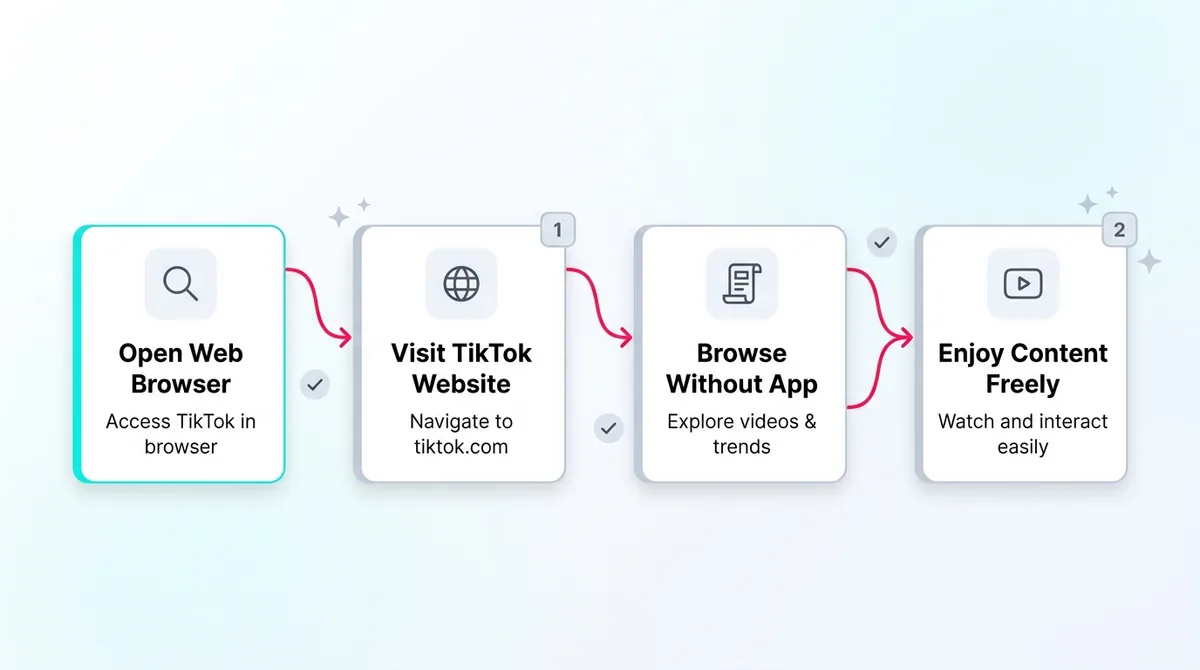
You can watch TikToks without the app by opening tiktok.com in any browser, using third‑party “mirror” viewers that strip TikTok tracking, clicking individual TikTok URLs shared on social media, or installing browser extensions that embed TikTok feeds. The TikTok web version supports the For You feed, profiles, and most core viewing features.
Why people skip the TikTok app (and what each method is for)
Let’s be honest: nobody types “watch tiktoks without app” into Google just for fun. There’s always a reason behind it. And that reason should decide which method you use.
Most creators and casual users fall into one of these buckets:
- Regional bans – Think the US 2024–2025 TikTok saga, India’s long-running block, Pakistan’s on-off bans. Sometimes the app is missing from app stores or blocked on networks, but the web is still semi-open. Your best bets: tiktok.com via browser, sometimes with a VPN (if legal where you live), or mirror viewers.
- Privacy concerns – Maybe you read too many data collection reports, or you just don’t want TikTok crawling your contacts, clipboard, and device data. Your best bet: third‑party mirror viewers that proxy the content so TikTok never sees your IP or browser fingerprint.
- Parental control / kids’ screen time – You want kids to see the occasional funny dance or educational clip, but not disappear into a For You rabbit hole. Your best bet: one-off video URLs or mirror viewers + ad blocker, no account, no FYP.
- Don’t want another app installed – Storage is full, phone is old, or you’re just app‑minimalist. You still want to keep up with trends though. Your best bet: the official TikTok web app and maybe a browser extension for quick access.
Most people get frustrated because they mix the goals. They want privacy but also a hyper‑personalized For You Page. Or they want strict kid controls but leave them on the normal web FYP. Knowing which tradeoff you’re OK with makes this 10x easier.
Ready to save 15+ hours every week?
Join other creators who've automated their social media with SocialCal.
Get started freeYou don't need TikTok installed to watch TikToks
Here’s the full menu of ways to watch tiktoks without app in 2026, in order from most features to most private:
- TikTok web at tiktok.com
- Direct TikTok video URLs from shares
- Third‑party mirror viewers (like ProxiTok/NewPipe integrations)
- Browser extensions and bookmarklets that embed feeds elsewhere
Let’s break each one down like a creator actually trying to use this stuff, not a help center article.
Method 1: TikTok in your web browser
This is the default option people forget exists. You open a browser, type tiktok.com, and boom: TikTok, no app, no install. On desktop it feels almost like YouTube; on mobile it runs as a web app.
What works on the web version
Despite TikTok constantly shouting “Open in app”, the web version is surprisingly capable:
- For You feed – You still get a FYP, even logged out. If you sign in, it adapts slowly over time, just like the app, based on what you watch, rewatch, and skip.
- Profile browsing – You can open any @username, scroll their past content, see pinned videos, check bios and links. Great for research if you’re a creator studying competitors.
- Search and hashtags – The search bar is fully functional. You can search topics, sounds, usernames, and click through hashtag pages. If you’re researching trends, hashtag pages are huge. If you’re a creator planning posts, pair this with a tool like TikTok Hashtag Generator to build out your own tag sets.
- Engagement (signed in) – If you log in, you can like, save, follow, comment, and add to favorites. The full social layer is there.
- Video uploads from desktop – You can upload directly from your computer, set captions, thumbnails, visibility, and schedule posts. This is massive for creators working off hard drives of edited content.
The viewing experience is basically complete. If all you want is to watch tiktoks without app, this alone might solve it.
What's missing or limited
There are catches. TikTok still optimizes for the app, so the web is always a step behind on some features.
- No Live streaming tools – You can often view Lives on web, but hosting and full Live features are app‑first, and some regions won’t show Lives at all on desktop.
- Weaker messaging – DMs are clunkier on web, and sometimes lag. Notifications don’t feel real‑time. If you mostly lurk, you won’t care. If you run collabs via DM, you will.
- No mobile‑only effects/filters – Web uploads don’t give you the full filters, AR effects, or trending camera features. You’re basically expected to edit externally and upload a finished file.
- Less algorithm “warm‑up” – On the app, TikTok reads a ton of device‑level signals: how long you hover, how you swipe, what you tap, what other apps you use. On web, it sees a narrower set of behaviors. So your FYP is often less intensely tailored.
This last part is huge. That slightly blander web FYP is why the web is perfect for parents, researchers, and creators who don’t want to get instantly trapped in their own niche bubble.
Browser tricks that improve the experience
A few small tweaks make web TikTok way less annoying:
- Use Chrome/Firefox/Safari – TikTok’s web player works best here. Microsoft Edge occasionally has playback or login issues; TikTok’s own help threads and user reports back that up.
- Disable browser auto‑mute – Some mobile browsers mute autoplaying videos. Check settings so you don’t sit there wondering why every TikTok is silent.
- Use Picture‑in‑Picture – Desktop browsers let you pop out a floating video window. Start a TikTok, right‑click or use the media control icon, and you can scroll Twitter while a TikTok floats over the corner.
- Add tiktok.com to your home screen – On mobile Safari or Chrome, “Add to Home Screen” makes it feel like a standalone app. You still avoid the store install, but get an icon.
For creators, this method also pairs nicely with desktop tools. You can edit a vertical clip, compress it quickly with something like SocialCal’s in‑browser Video Compressor, then upload through web TikTok in one workflow.
Method 2: Direct video URLs from shares
Next method is the “I don’t want TikTok, but my friends won’t stop sending me links” solution.
Any time someone shares a TikTok by link — in iMessage, WhatsApp, email, Discord, whatever — that URL can open straight in your browser. Even if the app is installed, you can usually long‑press and say “Open in browser” instead of opening the app.
Most URLs follow this pattern:
https://www.tiktok.com/@username/video/<numericid>
Or, shortened ones like:
https://vm.tiktok.com/<code> or https://vt.tiktok.com/<code>
Here’s how this method behaves:
- You can watch without an account – The video plays in a stripped‑down web player. You can scroll the caption, see basic stats, and usually tap through to the creator’s profile.
- Comments are limited – In many regions, you can’t comment or like while logged out. TikTok wants that sign‑up badly. You’ll see “Log in to comment.”
- Perfect for one‑offs – You’re not sucked into a FYP. You watch the one meme your friend sent and move on.
Scenario: your coworker sends “You HAVE to see this editing tip TikTok.” You don’t want to reopen your old account. You just tap the URL, open in browser, watch it, maybe save the link, and you’re done. No install, no login, no extra app on your phone.
Method 3: Third‑party mirror viewers
This is where the privacy‑minded folks go. If your whole goal with “watch tiktoks without app” is “I don’t want TikTok tracking me at all,” mirror viewers are your best friend.
How mirror viewers work
Sites like ProxiTok, some NewPipe integrations on Android, and other open‑source frontends use TikTok’s public endpoints (or scraped data) to fetch videos.
Mechanically, it looks like this:
- You visit the mirror site, not TikTok.
- The mirror’s server reaches out to TikTok, pulls the video file and metadata.
- The mirror then serves that video to you, without loading TikTok’s JavaScript, analytics, or pixels in your browser.
You see TikTok content. TikTok mostly just sees traffic from the mirror’s servers. Your browser never runs TikTok’s own code, which massively cuts down on their ability to fingerprint or track you.
Some mirror viewers let you:
- Search by username or hashtag
- Watch feeds of trending videos
- Filter by region or category (depending on the project)
Remember: these mirrors are constantly cat‑and‑mouse with TikTok tightening its public API and anti‑scraping defenses, so reliability comes and goes.
What you give up
The tradeoffs are real:
- No personalized FYP – Mirror sites typically show trending or generic feeds. They don’t have access to TikTok’s secret sauce. Good for privacy, bad if you’re chasing hyper‑niche content.
- No social actions – No likes, comments, follows, bookmarks. You’re basically a ghost viewer. That’s the point — less tracking — but don’t expect to build an account here.
- Ad quality varies – TikTok’s ads are replaced with the mirror’s own ads (if any). Some are tasteful, some are… not. Use an ad blocker if you’re worried.
- Reliability is mixed – Open‑source projects live and die by maintainer energy. Check that a viewer has an active GitHub with recent commits and issues, not a ghost project from 2021.
If you want to watch tiktoks without app or tracking, this is your best balance: less convenience, a lot more privacy.
Method 4: Browser extensions and bookmarklets
This one’s for nerds and power users.
There are extensions like “TikTok For You” on Chrome or equivalent Firefox add‑ons that embed TikTok feeds into other sites — think TikTok panels in Twitter, Reddit, or a standalone mini‑feed you can open from your toolbar.
These usually work by wrapping either web TikTok or a mirror viewer inside a small widget. Pros and cons:
- Fast access – One click, instant FYP or trending feed in a sidebar.
- Integrated browsing – You can scroll Reddit but pop open a TikTok feed in the corner. Great for creators researching trends while working elsewhere.
- Lower reliability – Extensions break every few months when TikTok or browsers update. Reviews on the Chrome Web Store will usually tell you if something still works.
If you’re just casually trying to watch a few clips without installing the app, you probably don’t need this. If you’re a creator who basically lives in Chrome and wants TikTok to act like another side panel, extensions are surprisingly nice.
Mistakes when watching TikTok without the app
Most people still have a bad time doing this. Not because it’s hard, but because they rush and skip basic safety checks.
Trusting random “TikTok viewer” sites
This is the biggest risk. You search “TikTok web viewer”, click the first shady domain, and suddenly it’s asking you to “log in with TikTok” via some fake screen.
Red flag: TikTok only logs you in at tiktok.com or official OAuth screens. If a viewer site wants your TikTok password directly, close the tab. A legit mirror viewer doesn’t need your credentials because it’s not acting on TikTok as you.
Only trust viewers that are:
- Open source with a public GitHub
- Actively maintained with recent commits
- Well‑discussed on communities like Reddit or GitHub issues (not random blogs)
Expecting the same algorithm
A lot of creators test TikTok on web, hate the feed, and say “The algorithm is broken.” It’s not. It’s just different.
The mobile app leans on tons of device‑level data — screen time, touch behavior, even which videos make you hover for 0.8 seconds vs 1.8. That’s how the For You Page locks onto your niche so fast. The web version sees less, so it takes longer to “learn” you and may stay more generic.
If you’re a creator trying to research your niche, you’ll often see more “general trending” on web than the hyper‑tuned stuff you get on your phone. That can be useful — it shows you what’s big outside your bubble. But don’t expect a carbon copy of your app FYP.
Skipping the safety check on shared links
Short URLs like vm.tiktok.com and vt.tiktok.com are legit TikTok shorteners. But scammers know most people don’t inspect them.
Always hover (on desktop) or long‑press (on mobile) to see where it’s actually going. If the preview domain isn’t tiktok.com, be suspicious.
Phishing campaigns sometimes send “TikTok” links that redirect to fake login pages or malware. TikTok’s own transparency reports at https://www.tiktok.com/transparency/en/ show how often they deal with abuse like this, so the risk is very real.
Using a fake “viewer” app that just opens TikTok
On mobile especially, app stores are full of “TikTok video player” or “TikTok viewer” apps that… simply open the official TikTok app via deep‑link. Meaning you’re right back in the ecosystem you were trying to avoid.
If your goal is to watch tiktoks without app, you want browser‑first or mirror‑first tools, not another wrapper that secretly depends on the app. Read reviews, and if you see comments like “Just opens TikTok, waste of time,” move on.
Cross‑platform alternatives — where TikTok content lives elsewhere
Here’s what nobody tells casual viewers: a huge chunk of viral TikTok content shows up elsewhere within 24–72 hours.
Creators repost their best TikToks as:
- YouTube Shorts – Fully watchable in any browser, no app.
- Instagram Reels – Also plays in web Instagram. Great if you’re already using IG anyway.
- Twitter/X videos – Short hits, meme edits, “Did you see this TikTok?” posts.
So if there’s a specific video or creator you like, search their handle on YouTube or Instagram. Many creators run the same username everywhere. If you’re reposting your own stuff, clean versions of TikToks are easy to export and reuse — tools like SocialCal’s TikTok Downloader help you save your own videos without watermarks so they’re ready for Reels and Shorts.
For viewers, this means you can still keep up with trends even if you never touch TikTok directly. For creators, this is how you reach anti‑TikTok folks without begging them to install the app.
For creators: cross‑posting beats hoping for app installs
Quick creator rant.
If you make TikToks and your audience keeps saying “I don’t have TikTok,” stop trying to convert them into app users. Meet them where they already are.
The algorithm on every short‑form platform rewards one thing above everything else: consistent posting. It’s not the perfect sound or the cleverest hook. It’s that you show up week after week, so their system learns “this account always gets X level of engagement” and starts testing you in better slots.
The real issue isn’t finding the perfect upload workflow. It’s being able to repeat it across TikTok, Reels, and Shorts without burning out.
This is where scheduling saves creators. When you can upload once and queue it everywhere, consistency stops being a willpower problem and becomes a calendar problem. Tools like SocialCal’s TikTok Scheduler plus its YouTube and Instagram schedulers let you post the same short from one dashboard so people can watch your content even if they refuse to touch TikTok.
Quick framework: Pick the right method for your reason
If you want a simple decision tree for how to watch tiktoks without app, use this:
- “I just want to see trending TikToks”
Use tiktok.com in a browser. Accept that the FYP will be a bit more generic but fully functional. - “I care most about privacy”
Use a reputable mirror viewer like ProxiTok + an ad blocker. Don’t log into any TikTok account; you’re watching as a ghost. - “TikTok is banned where I am”
If it’s legal where you live, use a VPN to access tiktok.com on web. If not, stick with cross‑posted content on Shorts/Reels to stay on the right side of the law. - “I’m managing kids’ screen time”
Use direct video URLs or a mirror viewer with no account and no FYP. You control which links they see instead of handing them an infinite feed. - “I’m researching a specific creator”
Go straight tohttps://www.tiktok.com/@usernamein a browser. No app needed. If you also want to study their presence elsewhere, open their content in a Post Previewer to see how it looks across different platforms.
Ready to save 15+ hours every week?
Join other creators who've automated their social media with SocialCal.
Get started freeChecklist: How to safely watch TikToks without the app
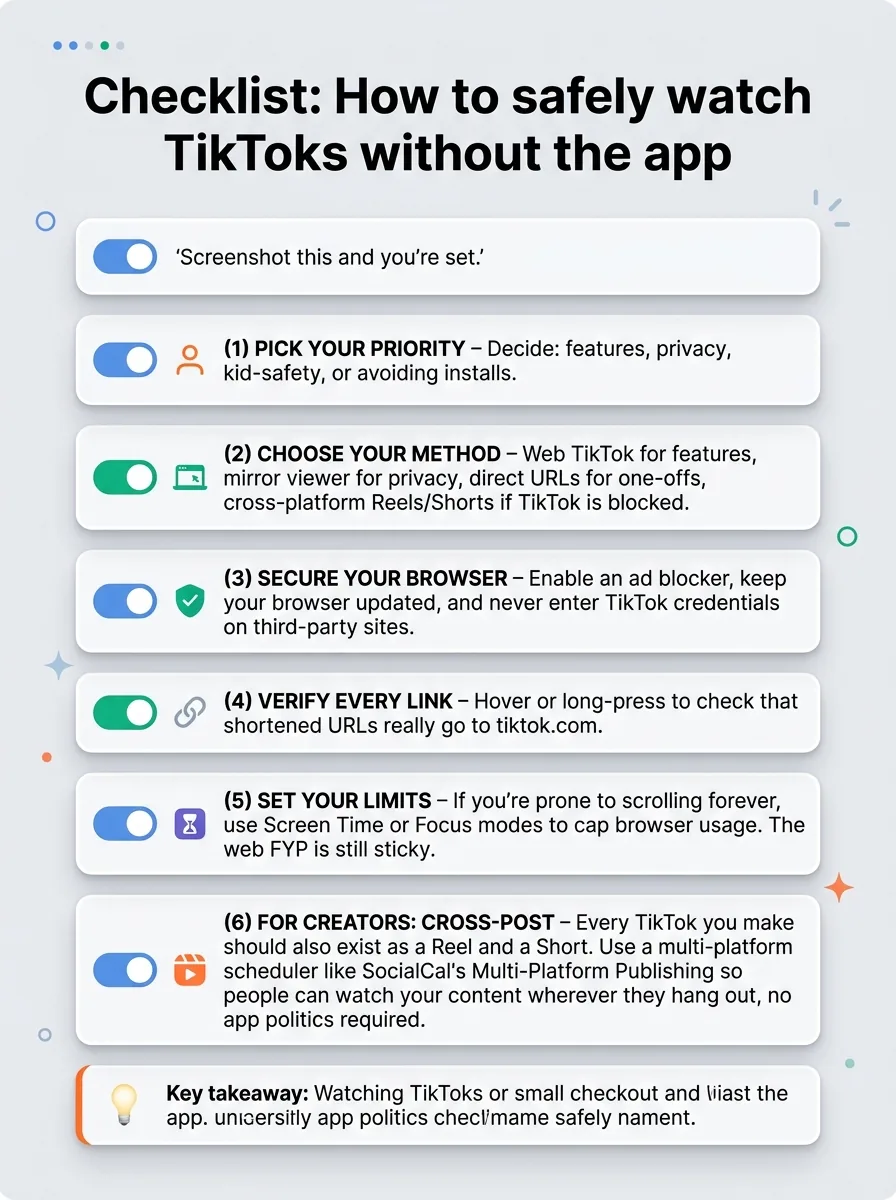
Screenshot this and you’re set.
- Pick your priority – Decide: features, privacy, kid‑safety, or avoiding installs.
- Choose your method – Web TikTok for features, mirror viewer for privacy, direct URLs for one‑offs, cross‑platform Reels/Shorts if TikTok is blocked.
- Secure your browser – Enable an ad blocker, keep your browser updated, and never enter TikTok credentials on third‑party sites.
- Verify every link – Hover or long‑press to check that shortened URLs really go to tiktok.com.
- Set your limits – If you’re prone to scrolling forever, use Screen Time or Focus modes to cap browser usage. The web FYP is still sticky.
- For creators: cross‑post – Every TikTok you make should also exist as a Reel and a Short. Use a multi‑platform scheduler like SocialCal’s Multi‑Platform Publishing so people can watch your content wherever they hang out, no app politics required.
Frequently asked questions
Can I watch TikTok without an account?
Yes. You can watch TikToks without an account using tiktok.com, direct video URLs, or mirror viewers. On the official web version, some features like commenting, liking, and following are locked until you log in, but basic watching, scrolling, and profile browsing work fine logged out.
Does the web version have the same algorithm as the app?
It uses the same core For You system, but with fewer data signals. The app reads more device‑level behavior, so it personalizes faster and more aggressively. On web, your FYP will feel slightly more generic and can take longer to adapt. That’s good for casual viewing, less ideal if you want hyper‑specific content.
Are TikTok mirror sites safe?
Some are, many aren’t. Only use mirrors that are open‑source, have active GitHub repos, and are recommended by trusted communities. Never enter your TikTok password on a mirror site, and always run an ad blocker. If a site looks spammy, shows pop‑ups, or asks for credentials, leave.
Can I download TikTok videos from web TikTok?
TikTok sometimes lets you download videos directly if the creator enabled downloads, but not always. If you need offline copies — ideally of your own content or for fair‑use examples — tools like SocialCal’s TikTok Downloader can save videos in HD without the watermark so you can reuse them on Shorts or Reels.
Will TikTok know I'm watching from the web?
On tiktok.com, yes — it tracks views and behavior just like any other major site. If you’re logged in, those views are tied to your account; if not, they’re tied to cookies/IP. If you use a mirror viewer, TikTok mainly sees the mirror server’s requests, not you directly. Adding a VPN and hardened browser setup reduces your footprint even more, but nothing online is 100% invisible.
The principle: TikTok is more accessible than the app suggests
TikTok’s app‑first marketing makes it feel like you either install the app or miss out entirely. That’s not reality. Between web TikTok, mirror viewers, direct links, and cross‑posted Shorts/Reels, you can watch tiktoks without app in whatever way fits your privacy level and attention span.
Growth on any platform, whether you’re watching or creating, isn’t about using the “perfect” app — it’s about showing up consistently where your audience actually is. If you’re a creator, that means getting your short‑form content onto TikTok, Reels, and Shorts in a repeatable workflow, and a planner like SocialCal’s visual Content Calendar can quietly do the boring part so you can focus on making stuff people actually want to watch.