The Mental Burden of an Outdated Instagram Grid
We have all been there. You scroll down to the bottom of your profile and physically wince. Maybe it is a hyper-filtered selfie from 2018. Maybe it is a promotional flyer for a side hustle you abandoned three years ago. Whatever it is, it no longer represents who you are or what your brand actually does.
Jump to a section:
- The Mental Burden of an Outdated Instagram Grid
- How to Mass Archive Instagram Posts (Quick Answer)
- Why Cleaning Up Your Feed Feels Historically Impossible
- Strategy 1: The 'Your Activity' Command Center
- Strategy 2: The 'Brand Pivot' Archive Method
- Why Most People Still Get Bad Results
- Beyond the Cleanup: Why Consistency Trumps Perfection
- The Quick 5-Step Mass Archive Checklist
- Common Questions About Archiving Instagram Posts
- Mastering Your Digital Fresh Start
Having an outdated feed is a massive mental burden. It creates friction every time you want to pitch a brand or direct a new follower to your profile.
You know you need a clean slate. But the thought of tapping into hundreds of individual photos to hide them feels like a punishment. You need a fast, systematic way to clean house. Here is exactly how to mass archive Instagram posts and reclaim your aesthetic in under five minutes.
Ready to save 15+ hours every week?
Join other creators who've automated their social media with SocialCal.
Get started freeHow to Mass Archive Instagram Posts (Quick Answer)
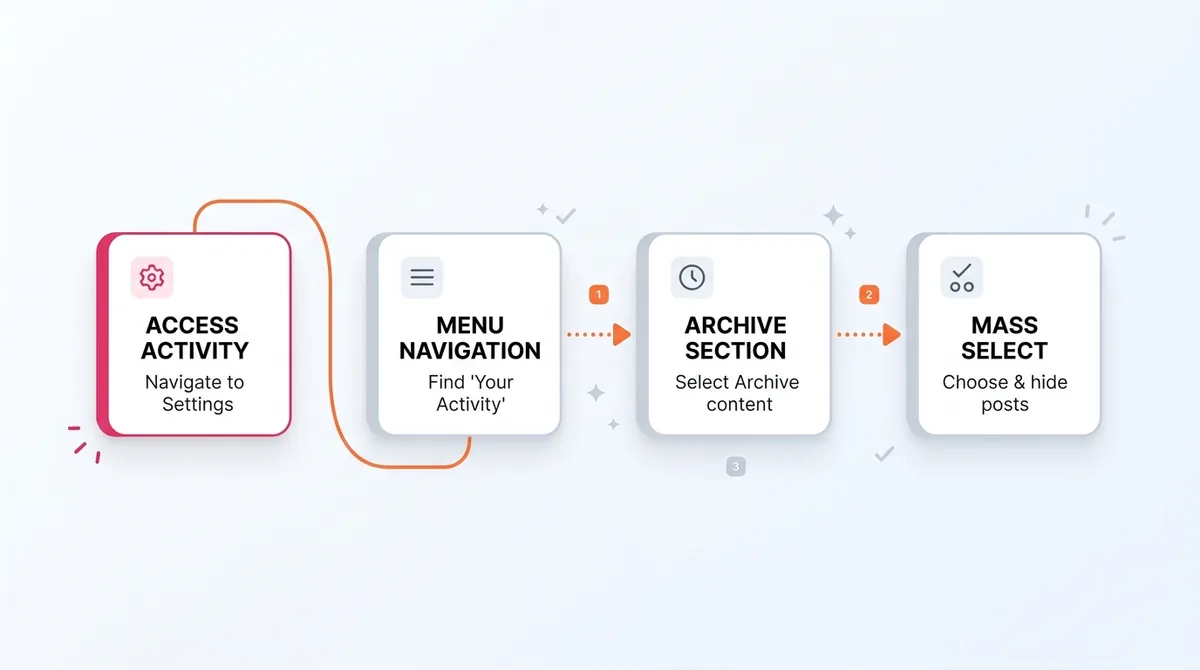
To mass archive Instagram posts: Open your profile and tap the three-line menu at the top right. Select 'Your Activity', then tap 'Posts'. Tap 'Select' at the top right, choose the specific posts you want to hide, and tap 'Archive' at the bottom. This immediately removes them from your public grid.
Why Cleaning Up Your Feed Feels Historically Impossible
Most creators avoid grid cleanups because of a psychological trap called Context Collapse. This happens when old versions of your identity clash with your current brand positioning in the same visual space.
You know those old posts are confusing your new audience. So why do you leave them up?

Blame the Sunk Cost Fallacy. You remember the effort it took to create that content. You see the 400 likes sitting on a post from 2020, and deleting it feels like throwing away hard-earned social proof. But holding onto low-quality legacy content actively hurts your conversion rate today. When a potential follower lands on your profile, they make a split-second decision based on your top nine grid squares. If those squares are a chaotic mix of different eras, they bounce.
Strategy 1: The 'Your Activity' Command Center
Instagram actually built a native tool for bulk management, but they buried it in the settings menu. Using the official 'Your Activity' hub is the only safe way to clean your account. Do not use third-party mass-deletion apps. Instagram's security systems aggressively monitor API behavior, and logging into a random cleaner app will often flag your account as a bot and trigger a shadowban.
Using the Multi-Select Tool for Rapid Batching
The beauty of the 'Your Activity' grid view is that it strips away the captions and comments. You just get a raw, condensed visual feed. By tapping 'Select', you turn the grid into a checklist. You can easily tap through 50 posts in about twenty seconds. It changes a tedious chore into a mechanical, friction-free process.
Filtering by Date to Remove Specific Eras
Sometimes you do not want to curate—you just want to nuke a specific era. In the Posts menu, tap the 'Sort & filter' option. You can set a specific start and end date. This is incredibly useful if you need to wipe out a past relationship, a temporary rebrand, or a specific marketing campaign that has expired. You isolate the timeframe, select all, and archive them instantly.
Strategy 2: The 'Brand Pivot' Archive Method
There is a massive mechanical difference between deleting and archiving. If you want to know exactly what happens when you archive a post, the short answer is that you protect your account's algorithmic standing.
When you hit delete, that data is gone forever. But when you archive, you simply change the visibility status. According to official insights on how Instagram ranks content, the platform relies on your account's historical data to understand your niche authority. Archiving preserves the backend data signals—likes, saves, reach, and audience demographics—while removing the visual clutter from your front-end profile.
Identifying Content That Dilutes Your Current Aesthetic
Not sure what to hide? Look for immediate aesthetic disruptors. Look for text-heavy quote graphics that do not match your current fonts. Look for split-image banners. If you used an Instagram grid splitter three years ago to make a giant 9-square picture, those individual squares look entirely broken and out of context when someone scrolls down. Archive them immediately.
Managing Your 'Shadow' Profile During a Reset
If you have thousands of posts, do not archive them all in one single session. Instagram's spam filters measure sudden, extreme drops in account data. Wiping 2,000 posts in three minutes looks like a compromised account. Instead, archive in batches of 50 to 100 posts over a few days. This keeps your audience activity windows stable while you perform the cleanup.
Why Most People Still Get Bad Results
Even after learning how to mass archive Instagram posts, many creators still end up with a messy grid a few months later. Here is where they usually mess up:
They archive their highest-traffic posts. Never archive a post that is still actively driving profile visits, even if it is slightly off-brand.
They try to unarchive in bulk. Instagram lets you mass archive, but you have to unarchive posts one by one. Be absolutely sure before you move them.
They leave up outdated giveaways. Nothing screams 'inactive account' louder than a contest post from 2021 sitting near the top of your feed.
They mistake archiving for a content strategy. Cleaning your room does not keep it clean. You need a system to prevent the mess from returning.
Beyond the Cleanup: Why Consistency Trumps Perfection
Archiving is a reactive fix to a proactive problem. The real issue is not that your old posts are bad. The real issue is that you are posting sporadically without a visual plan.
The Instagram algorithm measures early engagement velocity. The first 30 minutes determine whether your post gets shown to your wider audience. Posting consistently trains your audience's habit loops, ensuring they are online when you hit publish. If you just post whatever is on your camera roll at random times, your grid will always end up looking like a garage sale.
This is where behavioral systems save you. Once your grid is clean, use a tool like SocialCal's Instagram Scheduler to visually map out your feed before you publish. When you can drag and drop your upcoming weeks of content on a calendar, you catch aesthetic clashes before they happen. You stop fixing mistakes and start building a cohesive portfolio.
Ready to save 15+ hours every week?
Join other creators who've automated their social media with SocialCal.
Get started freeThe Quick 5-Step Mass Archive Checklist
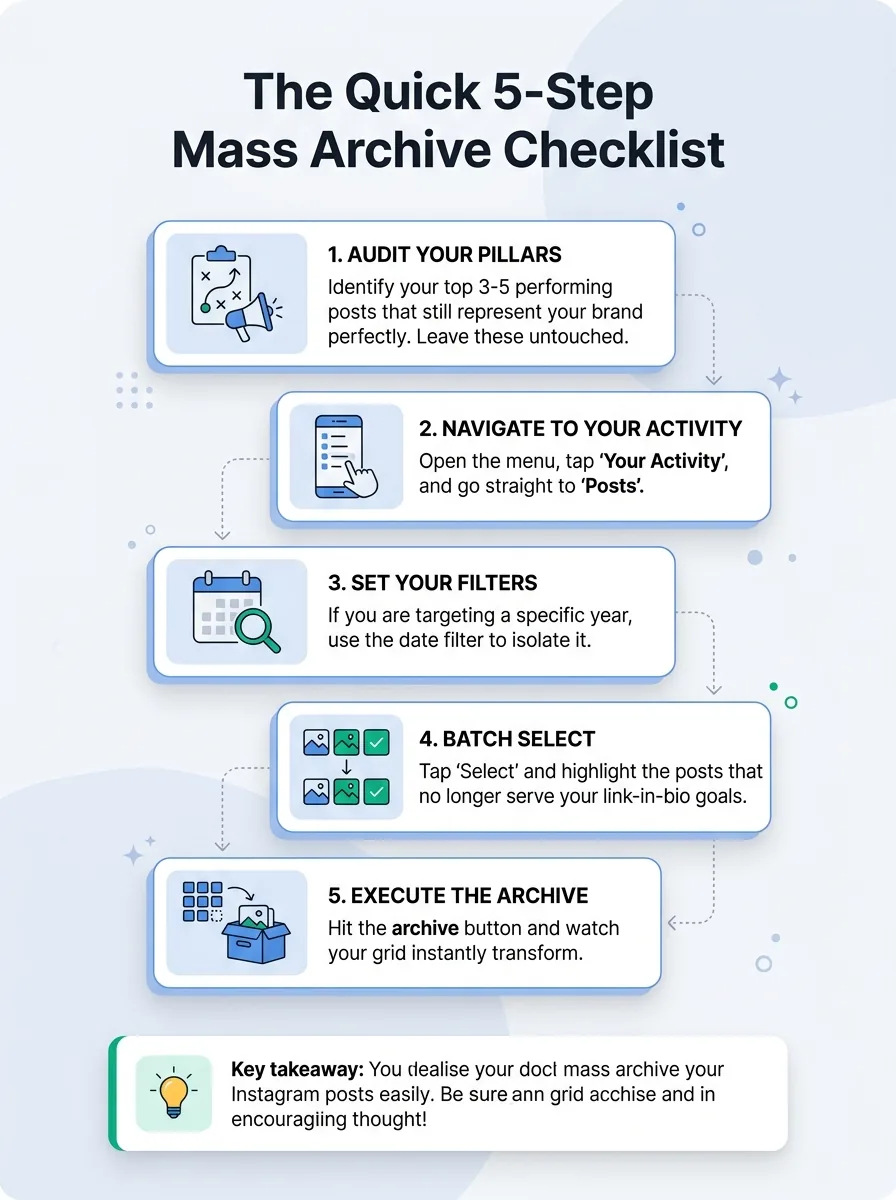
Ready to execute? Follow this exact order.
Audit your pillars. Identify your top 3-5 performing posts that still represent your brand perfectly. Leave these untouched.
Navigate to Your Activity. Open the menu, tap 'Your Activity', and go straight to 'Posts'.
Set your filters. If you are targeting a specific year, use the date filter to isolate it.
Batch select. Tap 'Select' and highlight the posts that no longer serve your link-in-bio goals.
Execute the archive. Hit the archive button and watch your grid instantly transform.
Common Questions About Archiving Instagram Posts
Can you unarchive all posts at once?
No. While Instagram allows bulk archiving, there is currently no feature to mass unarchive. You must go into your Archive folder and manually restore posts one by one to return them to your public grid.
Do followers get notified when you archive a post?
No. Archiving is completely silent. Your followers will not receive any notification, nor will the original commenters be alerted that the post has been hidden.
Does archiving a post delete the comments and likes?
No. All engagement data, including likes, comments, and algorithmic history, is perfectly preserved in the archive. If you ever choose to unarchive the post, it will return to its original chronological spot on your grid with all comments intact.
Mastering Your Digital Fresh Start
Your Instagram feed is a dynamic portfolio. It is meant to evolve as your skills, business, and brand identity grow. Learning how to mass archive Instagram posts gives you permission to change without losing the algorithmic authority you have spent years building.
Clear out the noise. Hide the posts that confuse your new followers. Then, lock in a consistent visual strategy using a content calendar so you never have to do a massive grid apology tour again.