The 'Delete or Keep' Dilemma: Why Grid Management is Stressful
You stare at your profile. That reel you posted on Tuesday completely ruined the aesthetic of your grid, but it somehow pulled in 5,000 views and a handful of solid comments. Now you are paralyzed.
Jump to a section:
- The 'Delete or Keep' Dilemma: Why Grid Management is Stressful
- What Happens When You Archive a Post on Instagram?
- The Psychology of the Archive: Why Deleting is a Trap
- Strategy 1: Curating Your Visual Brand Without Losing Data
- Strategy 2: The Tactical 'Unarchive' for Content Revival
- Why Most People Still Get Bad Results (The Archiving Mistakes)
- The Consistency Bridge: Why Perfection is the Enemy of Growth
- The 4-Step Checklist for Archiving Instagram Content
- Frequently Asked Questions
- Mastering Your Digital Presence
If you delete it, your grid looks clean again, but you lose the engagement data. If you keep it, you cringe every time you open your own profile.
Sound familiar?
Grid anxiety is one of the most common reasons creators stall out. You end up not posting at all because you're worried the new content won't match the old content perfectly. Most creators default to hitting the delete button in a panic. But before you nuke your hard work, you need to understand exactly how the platform treats hidden content.
Ready to save 15+ hours every week?
Join other creators who've automated their social media with SocialCal.
Get started freeWhat Happens When You Archive a Post on Instagram?
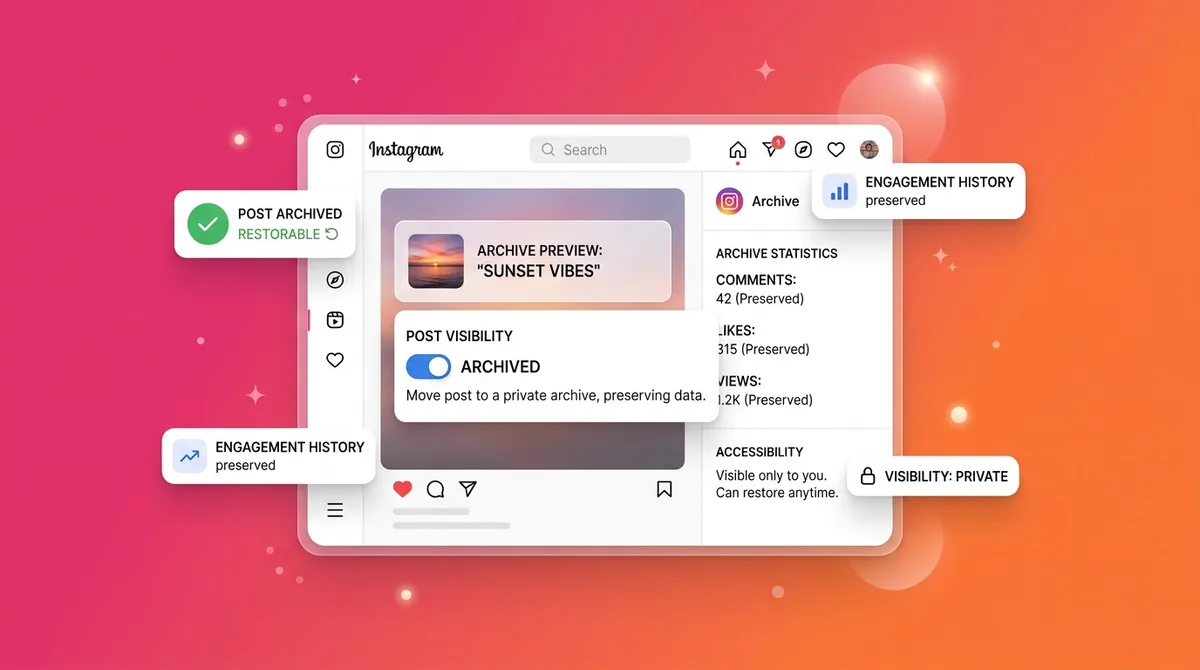
When you archive a post on Instagram, it is immediately hidden from your profile grid and your followers' feeds, but its data—likes, comments, and insights—remains completely intact. Unlike deleting, archiving allows you to restore the post to its original chronological position anytime without losing its engagement history.
The Psychology of the Archive: Why Deleting is a Trap
Most creators make this mistake early on. They treat their Instagram account like a piece of paper—erasing the ugly sketches. But Instagram isn't a piece of paper. It's a massive database trying to figure out who you are.
When you look closely at how Instagram's ranking actually works, the algorithm builds an "interest graph" around your profile based on every data point you give it. If a messy post brought in 50 likes from people interested in "fitness coaching," Instagram logs that your account appeals to fitness enthusiasts.

When you delete that post, you don't just remove the image. You burn the data. You tell the algorithm to forget those 50 positive interactions.
Avoiding the 'Broken Link' Behavioral Loop
Have you ever saved a post to a collection, gone back to reference it a week later, and found it missing? That's a terrible user experience. It breaks the habit loop of your followers.
Users who save your content are creating a recurring touchpoint with your brand. If you delete a post, that touchpoint vanishes permanently. If you archive it, the save is temporarily hidden, but the moment you unarchive it, the post reappears in their saved folders. You preserve the user's intent to interact with your brand later.
Preserving the Algorithm's Engagement History
Here is what nobody tells you about account health.
Instagram assigns an invisible authority score to your account based on historical performance. Archiving keeps the "credit" for that engagement on your account's permanent record. The algorithm still knows your content generated a specific volume of watch time and shares, even if the public can no longer see the post.
Strategy 1: Curating Your Visual Brand Without Losing Data
Knowing what happens when you archive a post on Instagram gives you a massive strategic advantage. You can use the archive feature as a curation tool rather than just a digital trash can.
In practice, this means you can create a "fresh start" aesthetic without suffering the algorithmic penalty of starting a brand new account.

Phase 1: Seasonal Grid Refreshing
Imagine you run a massive Black Friday promotion. For two weeks, your grid is full of loud graphics, neon text, and urgent call-to-action captions. By December 5th, those posts look incredibly out of place.
You don't want new profile visitors to see expired discount codes. By archiving those promotional posts, you instantly clean up the visual noise. Meanwhile, your end-of-year analytics reports will still include all the impressions, reach, and profile visits those loud graphics generated.
Phase 2: Protecting Your Post's SEO Value
Instagram is a search engine. When users type "SaaS Marketing Tips" into the explore page, the platform scans captions, alt text, and historical engagement to serve results.
If you have an older post that ranks well for a specific keyword but looks visually outdated, archiving is the safest move. Archived posts still contribute to your internal account authority for those specific topics. Using a post previewer before publishing new content can help you ensure your next SEO-optimized post actually fits the aesthetic, so you don't have to hide it later.
Strategy 2: The Tactical 'Unarchive' for Content Revival
Because unarchived posts return to their original chronological slot on your grid, they act as brilliant "backfill" content.
When a new follower discovers your account through a viral Reel, they often scroll deep into your grid to see what else you've posted. If they hit a dead end after five posts, they might bounce.
Reviving High-Performing Evergreen Content
Look through your archive right now. Find a post from six months ago that had an unusually high number of "Shares."
Unarchive it.
Because you've likely gained new followers since that original post date, this older content will now sit quietly in your grid for your newest fans to discover during their deep-scroll sessions. It's a fantastic way to grow on Instagram without posting daily.
Managing Your Stories Archive for Retention
This same logic applies to Stories. Your 24-hour content is meant to be fleeting, but the auto-archive feature is the only thing keeping your Highlights alive. Highlights are arguably the most important conversion asset on your profile—they act as your landing page navigation.
Never turn off the auto-archive for Stories. Even if you don't put a Story in a Highlight today, you might need that specific 15-second clip for an end-of-year recap Reel.
Why Most People Still Get Bad Results (The Archiving Mistakes)
Even when creators understand the mechanics of the archive button, they often use it at the completely wrong times. Here are the most common mistakes:
Archiving too soon: The algorithm measures early engagement velocity over a 72-hour period. If you panic-archive a post after 4 hours because it only got 10 likes, you literally choke its chance of hitting the Explore page.
Using the archive to hide from low numbers: Don't hide a post just because it underperformed. A grid with realistic fluctuations in engagement looks far more authentic to users than a heavily manicured one.
Forgetting to unarchive seasonal content: If you archived a great "Summer Tips" carousel last September, don't recreate it from scratch next June. Just unarchive it and share it to your Stories.
Deleting instead of archiving: We've covered this, but it bears repeating. Unless you accidentally posted confidential information or made a massive typo, the delete button should almost never be touched.
The Consistency Bridge: Why Perfection is the Enemy of Growth
Here is the hard truth.
The real issue isn't a messy grid. It's an inconsistent presence. Grid anxiety leads directly to content burnout. You spend so much time worrying about what happens when you archive a post on Instagram that you stop publishing entirely.
Algorithms reward behavioral consistency above all else. Posting at regular intervals trains the system to expect activity from your account, which boosts your initial distribution. When you need everything to be visually perfect, you inevitably break that consistency habit.
The solution isn't to post ugly content—it's to separate the creation process from the publishing process. When you use a dedicated Instagram Scheduler, you can visually arrange your grid weeks in advance. You see exactly how the Tuesday reel sits next to the Thursday carousel. You never have to panic-archive anything because you solved the visual puzzle before hitting publish.
The 4-Step Checklist for Archiving Instagram Content
Next time you hover your finger over a post wondering what to do, run it through this quick framework.
Step 1: Audit the Core Message
Does this post actively confuse new profile visitors about what you actually do? If you are a finance creator and the post is a random vlog of your dog, archive it.
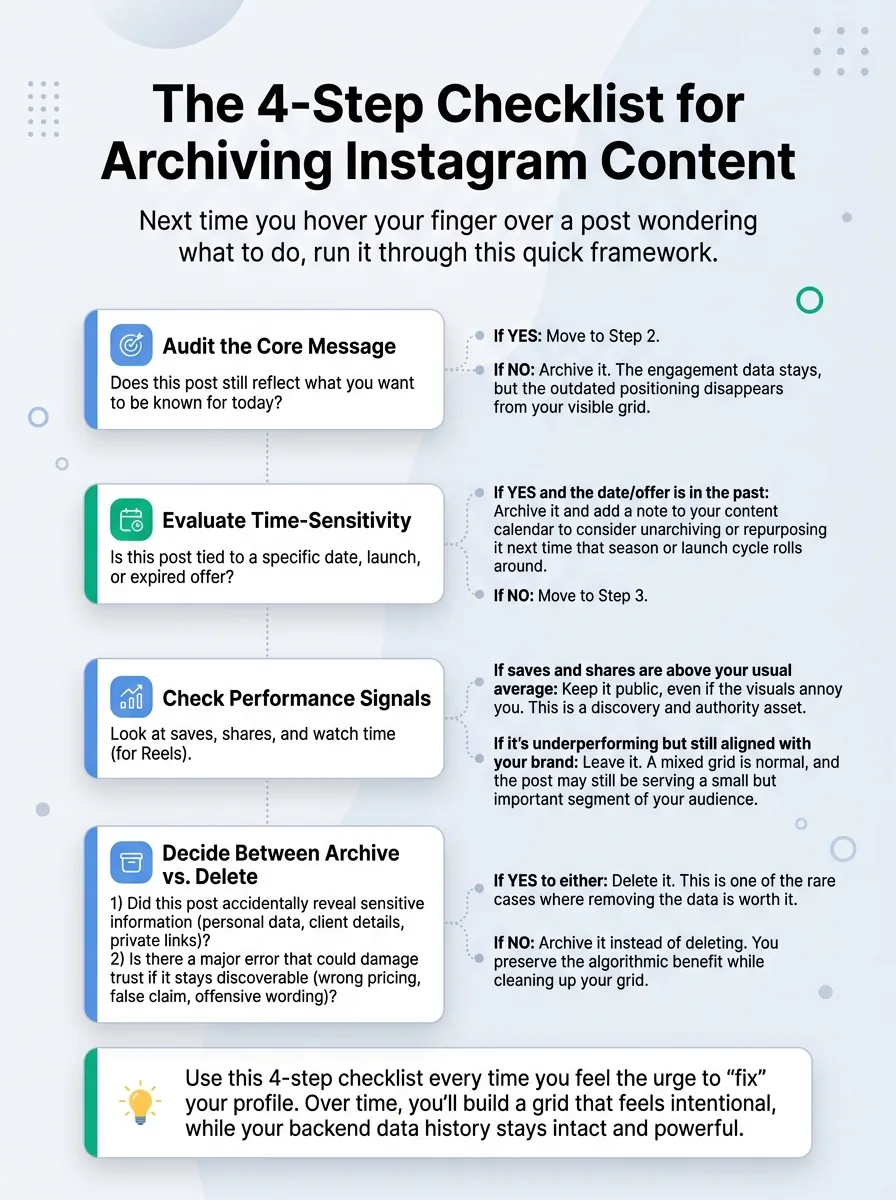
Step 2: Check the Evergreen Metric
Look at the insights for the specific post. Is it still getting 1-2 likes or saves a week from search? If yes, leave it alone. Do not disrupt passive traffic.
Step 3: Evaluate the Visual Flow
Does it break a specific grid pattern (like a checkerboard layout) that is crucial to your brand identity? If yes, and it's older than 30 days, it's safe to archive.
Step 4: The 72-Hour Rule
Has the post been live for less than three days? Close the app. Walk away. Never archive content while the algorithm is still actively testing its reach.
Frequently Asked Questions
Can people see my archived posts?
No. Once archived, the post is only visible to you in your private archive folder.
Do archived posts lose their likes and comments?
Not at all. Every single like, comment, and save is frozen in time and will reappear exactly as it was if you choose to unarchive the post.
Does archiving a post affect my overall account reach?
Directly, no. However, if you aggressively archive a massive portion of your top-performing content, you temporarily hide those engagement signals from users who might have discovered you via shared links.
Can I see insights for posts that are currently archived?
Yes. You can view the historical reach, impressions, and engagement metrics inside the archive menu, making it easy to reference past performance for your reporting.
Ready to save 15+ hours every week?
Join other creators who've automated their social media with SocialCal.
Get started freeMastering Your Digital Presence
Growth isn't about maintaining a flawless aesthetic. It's about showing up consistently and trusting the data you gather along the way. Archiving is simply a tool that buys you flexibility when your brand evolves.
Stop letting the fear of a messy grid dictate your posting schedule. Plan your content, visualize your layout in advance, and let your account breathe. That's it.